

The configuration steps to be executed on the HUB system (FND) are detailed at SAP Help 🔗. The steps are for the OData Channel Service for backend system.
-
Basic configuration activities: SAP Help 🔗
- Set profile parameters to support SSO2 SAP Help 🔗
- Activate ICF Services SAP Help 🔗
-
User & Authorization SAP Help 🔗
-
SAP Gateway to Consumer (FND to SMP3) SAP Help 🔗
- Creating a bgRFC destination for outbound queues SAP Help 🔗
- Registering bgRFC destination for the oubound queue SAP Help 🔗
- Creating bgRFC supervisor destination SAP Help 🔗
-
SAP Gateway to SAP Backend (FND to BEP) SAP Help 🔗
- Create RFC on SAP Gateway (FND) to SAP backend (BEP) SAP Help 🔗
- Define trust between SAP Gateway and SAP backend (FND <-> BEP) SAP Help 🔗
- Configure SAP backend system (BEP) to accept assertion ticket from SAP Gateway SAP Help 🔗
- Configure SAP Gateway (FND) to accept assertion ticket from SAP backend (BEP) SAP Help 🔗
- Configure SAP system alias for applications SAP Help 🔗
-
Activate SAP NetWeaver Gateway SAP Help 🔗
This document explains how to execute step 4.1.
A RFC connection between SAP Gateway HUB and SAP backend is needed so that the HUB system can communicate with BEP. Without this, the OData services exposed at Gateway won’t work, as they cannot map the services (BAPIs) to a backend. SAP Help 🔗
SPRO_: SAP Reference IMG_ and navigate to:  SAP NetWeaver
  Gateway OData Channel Configuration Connection Settings SAP NetWeaver Gateway to SAP System Manage RFC Destinations
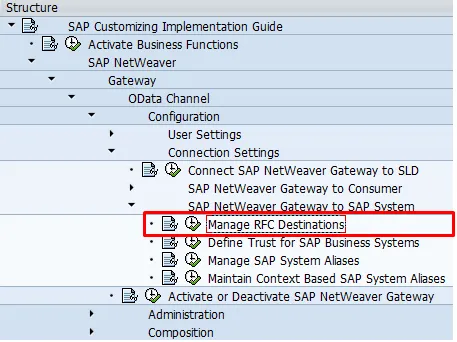
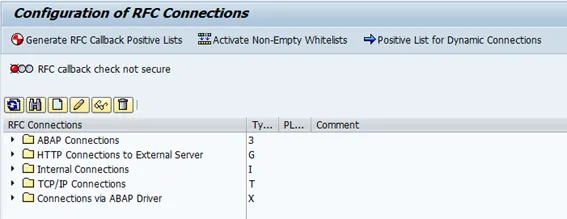
This open transaction SM59
-
Create
-
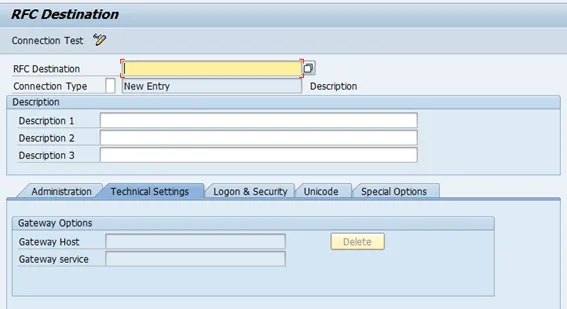
Give a name for the RFC destination, like
CLNT -
RFC Destination: ECCCLNT001 (example)
-
Connection type: 3
-
Inform a description
-
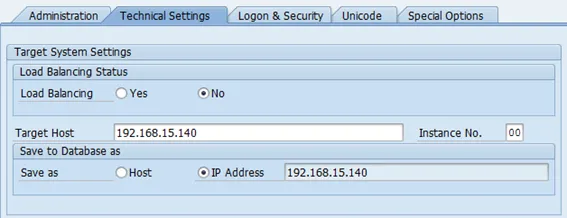
Go to tab “Technical Settings”
-
Load balancing: Yes or No, depending on landscape
-
Target host: host name of SAP backend (BEP) system
-
System number: system number of SAP backend (BEP) system
-
-
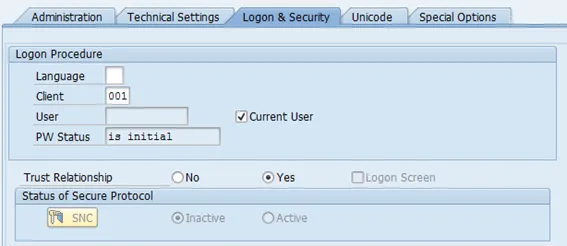
Go to tab “Logon & Security”
-
Client: cliente of BEP system
-
Current User: Yes
-
Trust Relationship: Yes
-
-
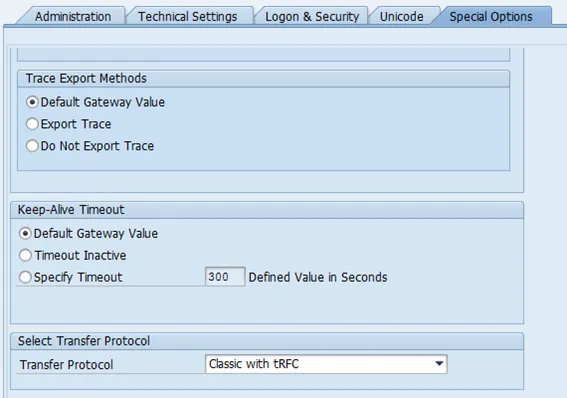
Go to tab “Special Options”
- Transfer Protocol: Classic with tRFC
- Save