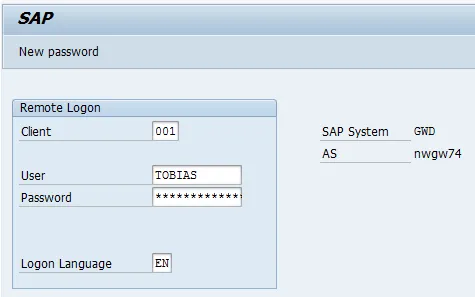
Yes, this item should be under BEP and not HUB, but I am following SAP Help here, so sorry for the confusion!
The configuration steps to be executed on the HUB system (FND) are detailed at SAP Help 🔗. The steps are for the OData Channel Service for backend system.
-
Basic configuration activities: SAP Help 🔗
- Set profile parameters to support SSO2 SAP Help 🔗
- Activate ICF Services SAP Help 🔗
-
User & Authorization SAP Help 🔗
-
SAP Gateway to Consumer (FND to SMP3) SAP Help 🔗
- Creating a bgRFC destination for outbound queues SAP Help 🔗
- Registering bgRFC destination for the oubound queue SAP Help 🔗
- Creating bgRFC supervisor destination SAP Help 🔗
-
SAP Gateway to SAP Backend (FND to BEP) SAP Help 🔗
- Create RFC on SAP Gateway (FND) to SAP backend (BEP) SAP Help 🔗
- Define trust between SAP Gateway and SAP backend (FND <-> BEP) SAP Help 🔗
- Configure SAP backend system (BEP) to accept assertion ticket from SAP Gateway SAP Help 🔗
- Configure SAP Gateway (FND) to accept assertion ticket from SAP backend (BEP) SAP Help 🔗
- Configure SAP system alias for applications SAP Help 🔗
-
Activate SAP NetWeaver Gateway SAP Help 🔗
This document explains how to execute step 4.3.
Allow SAP Gateway HUB (IWNFD) to logon via SSO to SAP backend (BEP). SAP Help 🔗
No SPRO activity.
System: BEP
Transaction SSO2
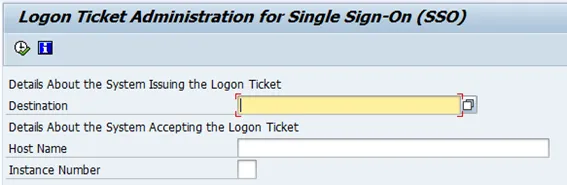
- To configure SSO by installing the system certificates, go to transaction SSO2
-
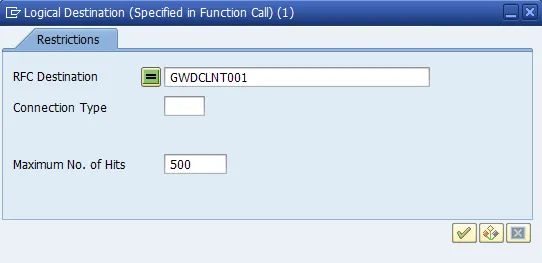
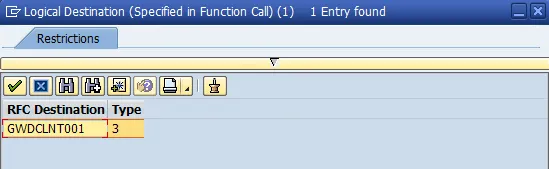
Destination: Give RFC destination: GWDCLNT001 (IMPORTANT: must have been created earlier on the BEP system)
-
Host name: DNS name of SAP Gateway HUB: nwgw74.tobias.de
-
Instance Number: Instance number of SAP Gateway HUB: 01
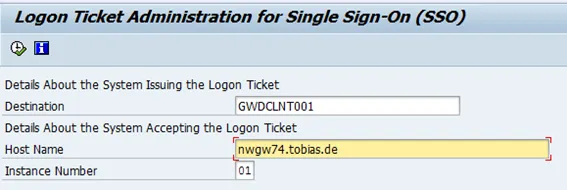
Run the program. In case the tool finds some problems, it allows you to let it solve them for you.
Result when everything is OK: