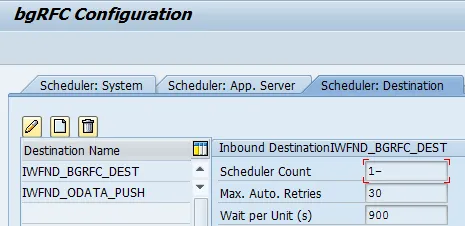
The configuration steps to be executed on the HUB system (FND) are detailed at SAP Help 🔗.
- Maintaining Inbound bgRFC Queue on the Hub System SAP Help 🔗
- Create outbound destination for content publisher SAP Help 🔗
This document explains how to execute step 1.
“SAP NetWeaver Gateway uses inbound queues to reliably send information to a consumer (Such queues are used by various services. For example, the Notification Content Publisher). These inbound queues use bgRFC (Background Remote Function Call) technology.” SAP Help 🔗
No SPRO activity
All activities are done on the SAP Gateway HUB (FND) system.
-
Creating RFC Destination for Inbound Queue
-
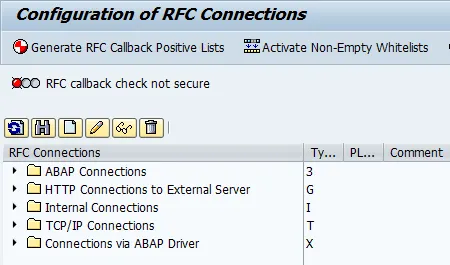
Transaction SM59
-
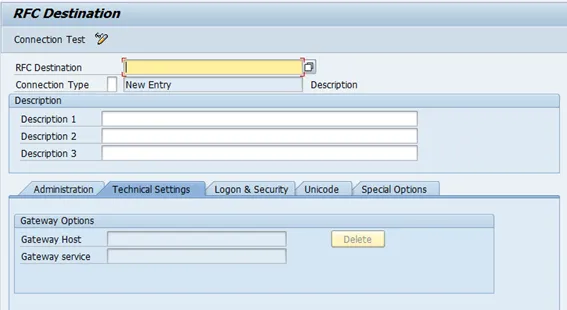
Create new connection
-
- RFC Destination: IWFND_ODATA_PUSH.
- Connection Type: 3
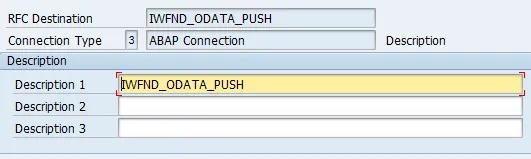
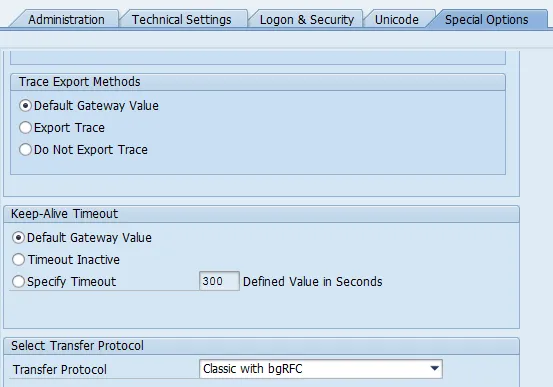
- Go to tab “Special Options”
- Transfer Protocol: Classic with bgRFC.
-
Save
-
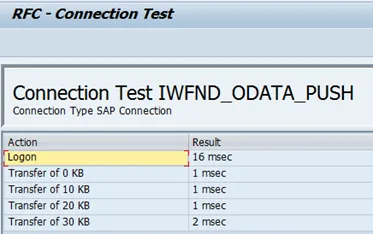
Test RFC destination

Result
-
Registering RFC Destinations for Inbound Queue
-
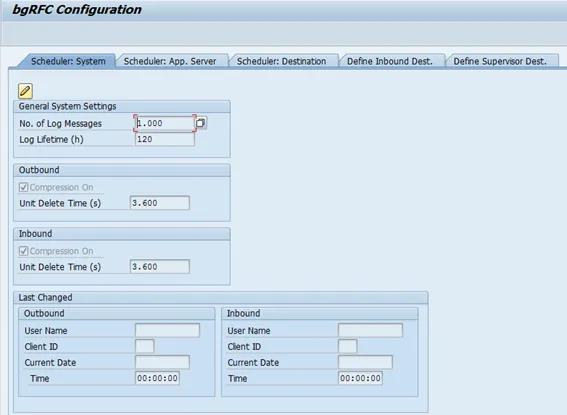
Transaction: SBGRFCCONF
-
Go to tab “Define Inbound Dest.”
-
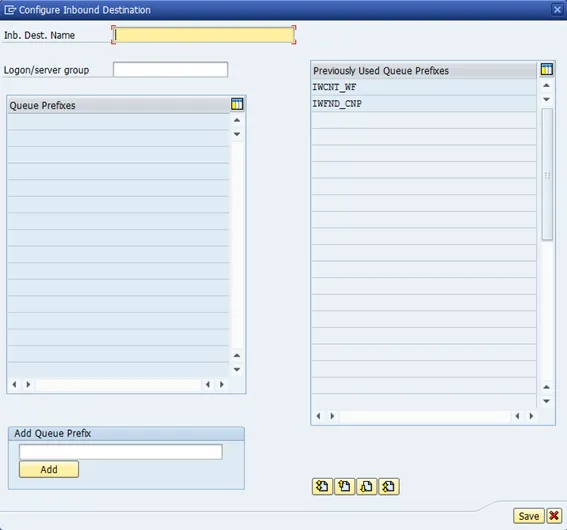
Create
-
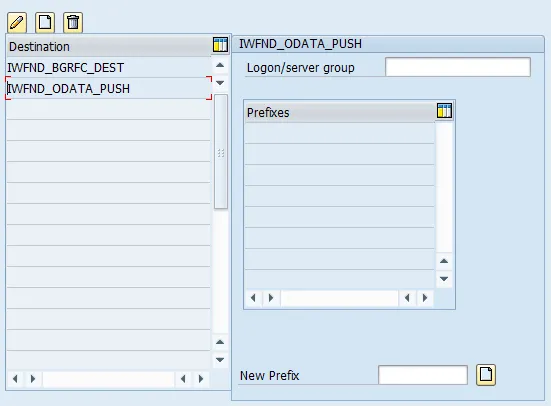
- Inb. Dest. Name: IWFND_ODATA_PUSH

-
Save.
-
Go to tab: “Scheduler: Destination”
-
Create
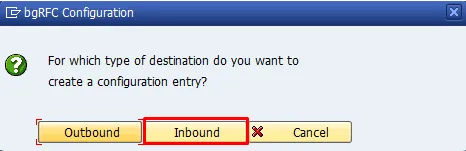
- Type: Inbound
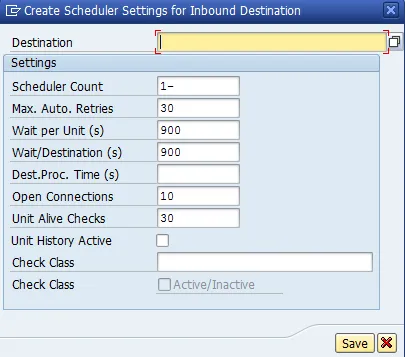
- Destination: IWFND_ODATA_PUSH

-
Save