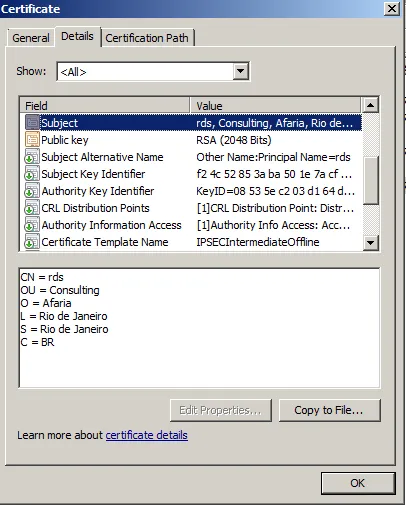
Afaria mobile client can request a client certificate from a corporate CA for the user. This means that the user will get automatically a valid certificate made available for him, without having to go through the complicated process of requesting and installing a certificate. The user won`t even know that a certificate was requested and installed on the device, it`s really a transparent process. For this to work, Afaria needs to be configured to send requests to a CA (using SCEP). The CA needs to be able to act on device requests. This is done by installing the type NDES to a Windows CA. After that, the CA needs to be configured to work together with Afaria.
A possible error message that can occur when this configuration is not done is visible in the Afaria log. The error message will look like: “SCEPcertificateAcquisition Exception: ASN1 bad tag value met”

This error message won`t occur out of nothing, it is in the context of the Afaria client requesting a certificate at Microsoft CA/NDES.

Here, a CSR with Subject CN=rds,O=Afaria,OU=Consulting,L=Rio de Janeiro … was sent to the CA by the Android app com.sap.logon.cert. The solution for this problem is given by SAP Note 2193313 🔗. The documentation that treats this error can be obtained either from SAP or from Microsoft:
SOLUTION
Basically there are two solutions available:
- Deactive the use of a password for NDES or
- Activate the use of a password and configure Afaria to send the credentials
Easiest solution: deactivate usage of password when requesting a certificate. This is done by changing a Windows registry key: HKEY_LOCAL_MACHINE\SOFTWARE\Microsoft\Cryptography\MSCEP\EnforcePassword to 0

This change requires a restart of IIS to ensure that the new value is picked up. Afterwards, the Afaria cliente can be used to request a certificate.
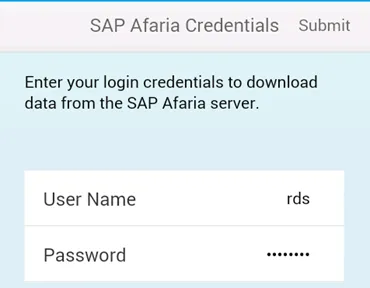
This request can be followed in the Afaria log:

RESULT
The client received a certifcate. The certificate can be seen in the CA: