

To change the default certificate template NDES is using, it is necessary to change some Windows registry values. Looks like there is no GUI tool from Microsoft for this available. The procedure for changing these values is given by Microsoft [1],[2]. To do so, open the registry editor and navigate to:
HKEY_LOCAL_MACHINE -> SOFTWARE -> Microsoft -> Cryptography -> MSCEP
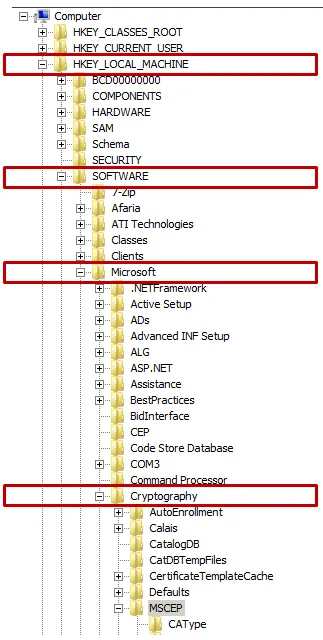
Under this node, the registry values can be found. By default, the certificate template used by NDES is IPSECIntermediateOffline.
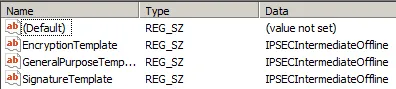
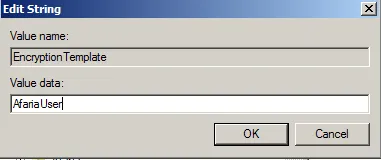
I`ll now use my AfariaUser certificate I created in an earlier blog (you can find it on my site). To change this and to make use of the new AfariaUser certificate, edit all three entries.
Afterwards, the registry key looks like this:
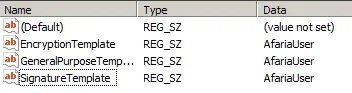
To make the new templates effective for new requests, restart IIS (or the CA too, or the whole computer).
References
[2] https://technet.microsoft.com/de-de/library/ff955642(v=ws.10).aspx 🔗