

Installing Personas 3 is easy, doing the initial configuration involves several steps, alters system configuration, and so on. It is easy however to get lost in all these tasks. A nice feature Personas 3 offers to admins is a configuration check tool. Yes, it does what its name implies: it checks your system configuration and shows what you did, missed or did wrong. No, it won’t not fix a problem for you. I know, bummer. Hey, that is where consultants and Basis guys can justify their existence.
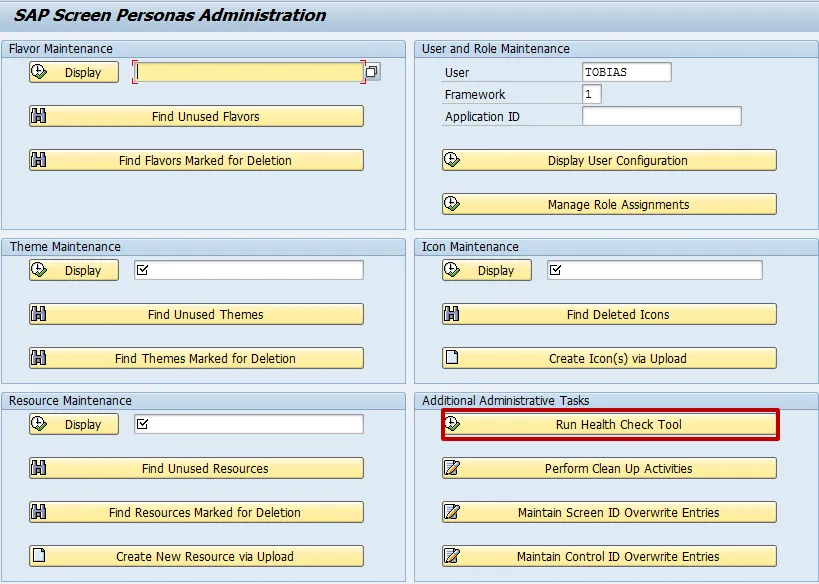
To know the health status of your Personas 3 installation, run transaction /PERSONAS/ADMIN and run the Health Check Tool.
Run Personas 3 Health Check Tool
- Tx: /n/PERSONAS/ADMIN
- Additional Administrative Tasks: Run Health Check Tool
Result
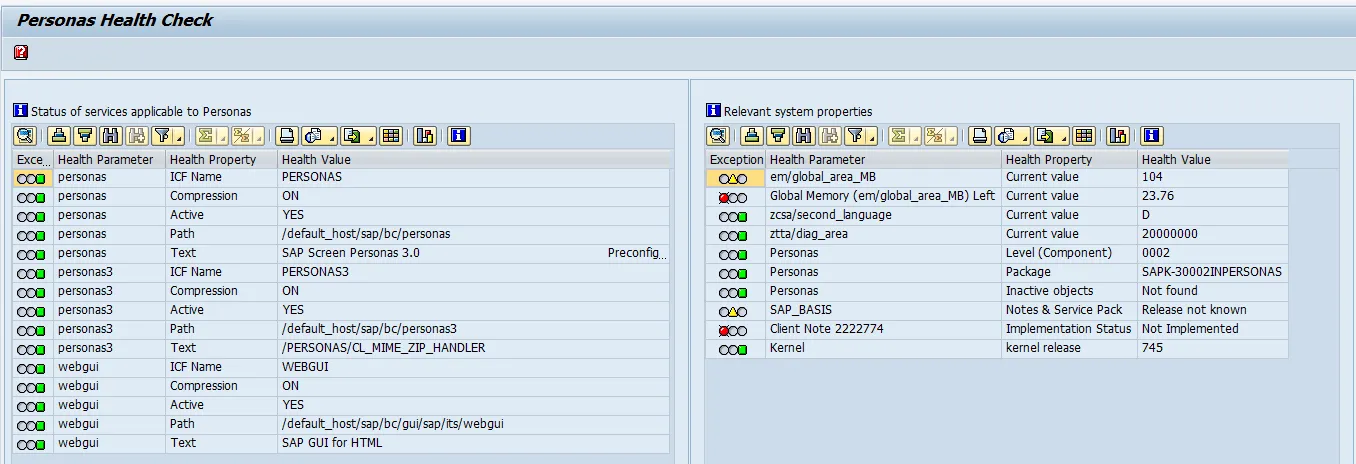
I am going to ignore the global memory exception. Nevertheless, I do have to implement SAP Note 2222774 🔗. This note is about updating client files. Before being able to apply the SAP Note, ensure the Personas namespace is set to modifiable.
Apply SAP Note
Follow the steps outlined in my blog on how to manually upload an SAP Note in SNOTE. In that blog I am using as an example the not e2222774.