

The overall process is:
- Create CA
- Private CA key
- Create private key
- Check private key
- Public CA certificate
- Create public certificate
- Check public certificate
- Private CA key
- Sign CSR
- SHA-1
- Create CSR using SHA-1
- Check CSR
- Sign CSR enforcing SHA-256
- Check signed certificate
- SHA-256
- Create CSR using SHA-256
- Check CSR
- Sign CSR
- Check signed certificate
- SHA-1
Create a CA
To have a private CA with openssl, at least two steps are need: you need to create a private key and a public certificate. The public certificate will be used to sign CSRs.
Private CA key
Create private key
openssl genrsa -aes256 -out ca.key.pem 4096
The command will generate a private key using random data and ask you to provide a pass phrase. While possible to enter an empty pass phrase, it is highly recommended to provide one. In my test case, I simply use “test”. Remember: it is not a password, but a phrase. If you want, go crazy and use a full sentence.

Check private key
This creates a pass phrase protected private key. The key is password protected. This can easily be seen by opening the key and checking for the -----BEGIN RSA PRIVATE KEY----- section.

To validate that everything is OK with the private key, openssl can be used
openssl rsa –in ca.key.pem -check
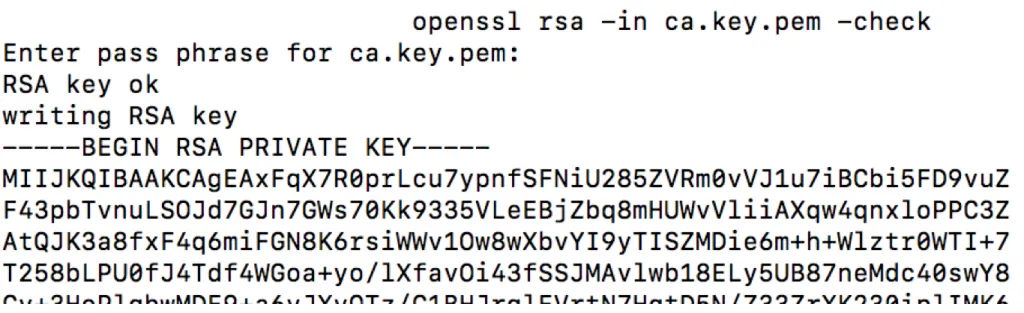
The output prints RSA key ok.
Public CA certificate
Create public certificate
openssl req -key ca.key.pem -new -x509 -days 5000 -sha256 -extensions v3_ca -out ca.cert.pem
You`ll need to inform the pass phrase of the private key as well as some additional administrational data like the location of the server.
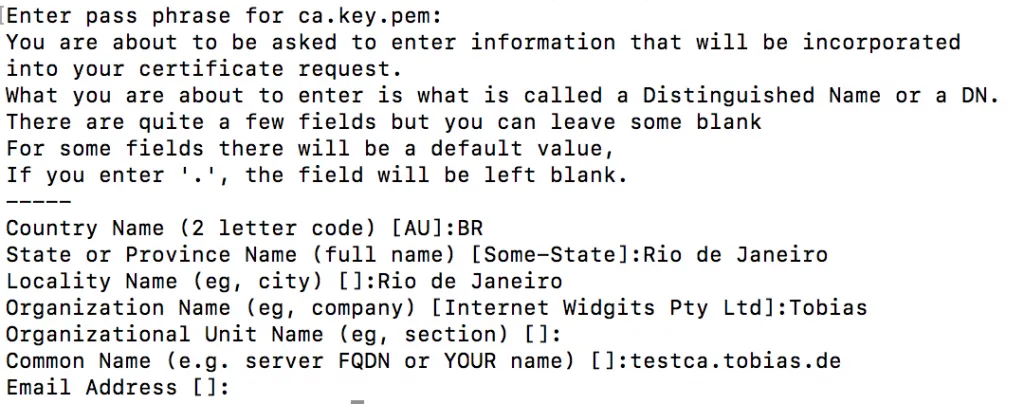
This created a new certificate for the CA using the private key.
Check public certificate
openssl x509 -in ca.cert.pem -text -noout
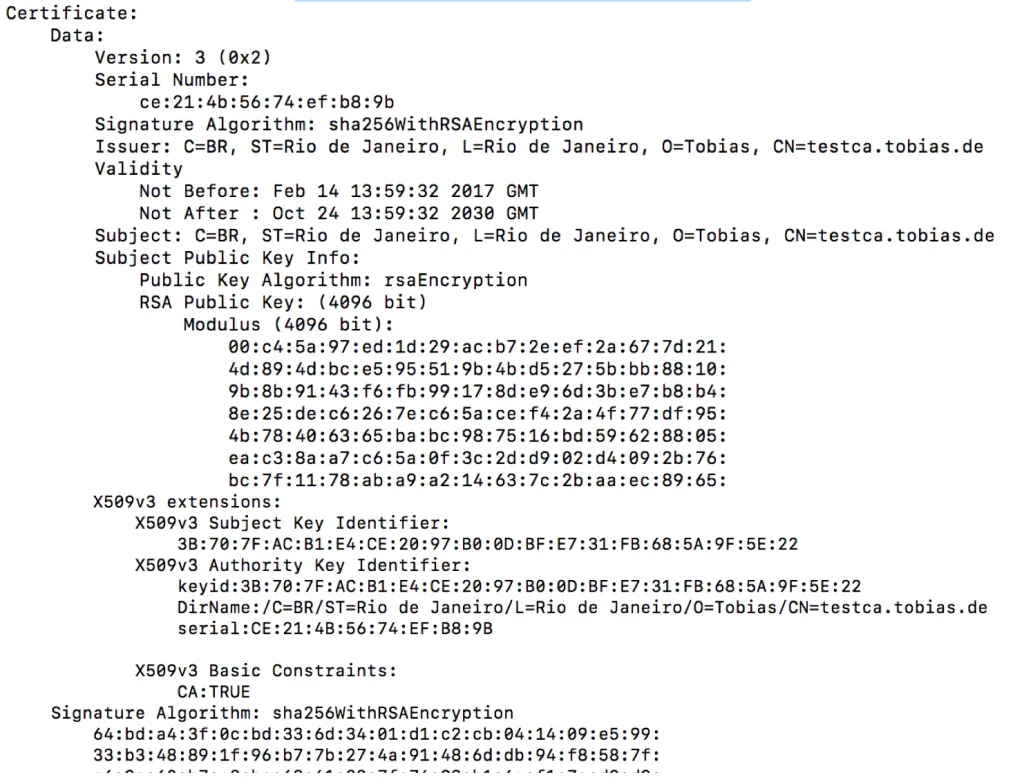
The Signature Algoritm is using SHA-256.
Using the above two commands, a private key and public certificate with usage type for CA was created. This certificate can now be used to sign CSR requests.