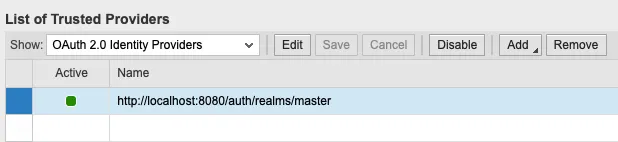
Configure NameID
After adding the OAuth IdP its status is set to disabled. It can only be enabled after the NameID format is configured.
Tx: SAML2
In the tab trusted providers select OAuth 2.0 Identity Providers to see all OAuth IdPs. Select the IdP you want to activate and click on Edit.

In the panel below, the add button is now active. Now you can start the NameID configuration.
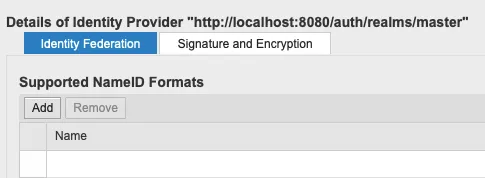
Click Add. Select the Name ID format from the list.
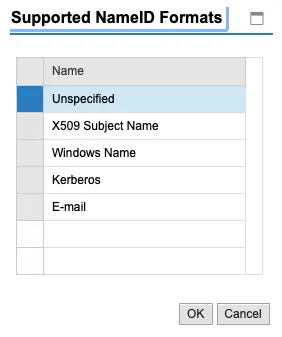
Select Unspecified. In the configuration menu, assure that the NameID is mapped to the Logon ID. This means that a user logged on as userAB in Keycloak must have a user in the SAP system with id userAB.
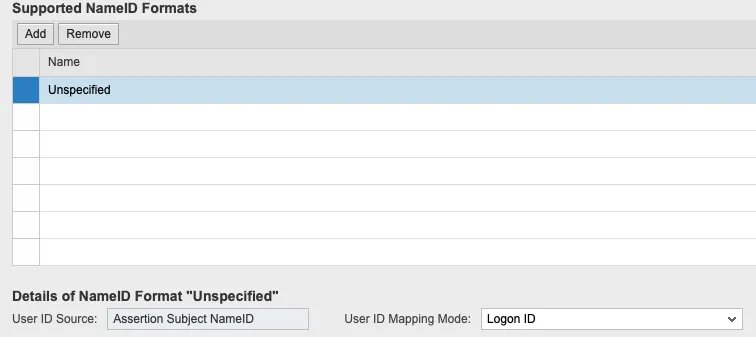
Save the configuration.
Enable IdP
Select the IdP and click on Enable.

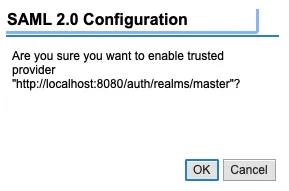
Result
OAuth IdP is enabled and ready to be used.