

This configuration is about enabling the user to log on via X.509 and get a valid SAP user assigned by mapping a property from the certificate to an SAP user property. Mapping the user via a wizard is the recommended approach. For this to work, you need to enable certificate mapping and then configure a mapping rule. Compared to the old and deprecated alternative of using a mapping table, you can create one rule that is valid for all users. This is minimizing the administrative effort and makes the X.509 based logon approach feasible for a large number of users.
Configure server
Certificate mapping needs to be enabled by setting a profile parameter.
login/certificate_mapping_rulebased
Check the current value of the parameter.
Tx: RZ11
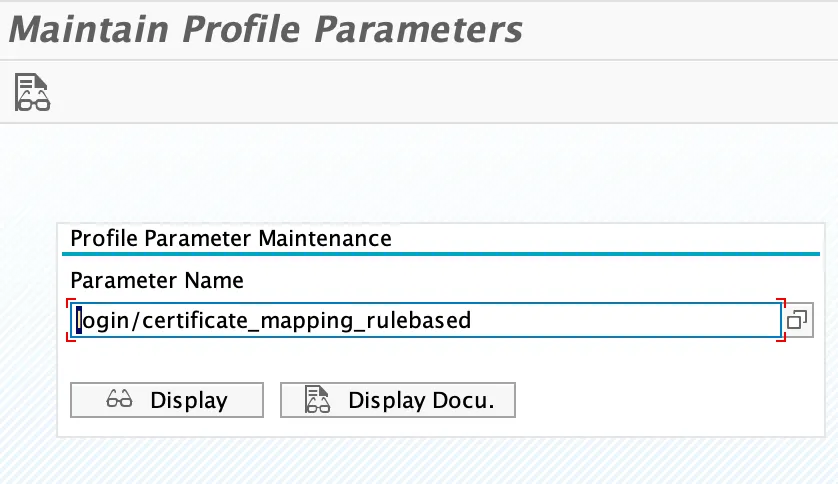
Default value is 0, meaning disabled. 1 means enabled (like false/true).
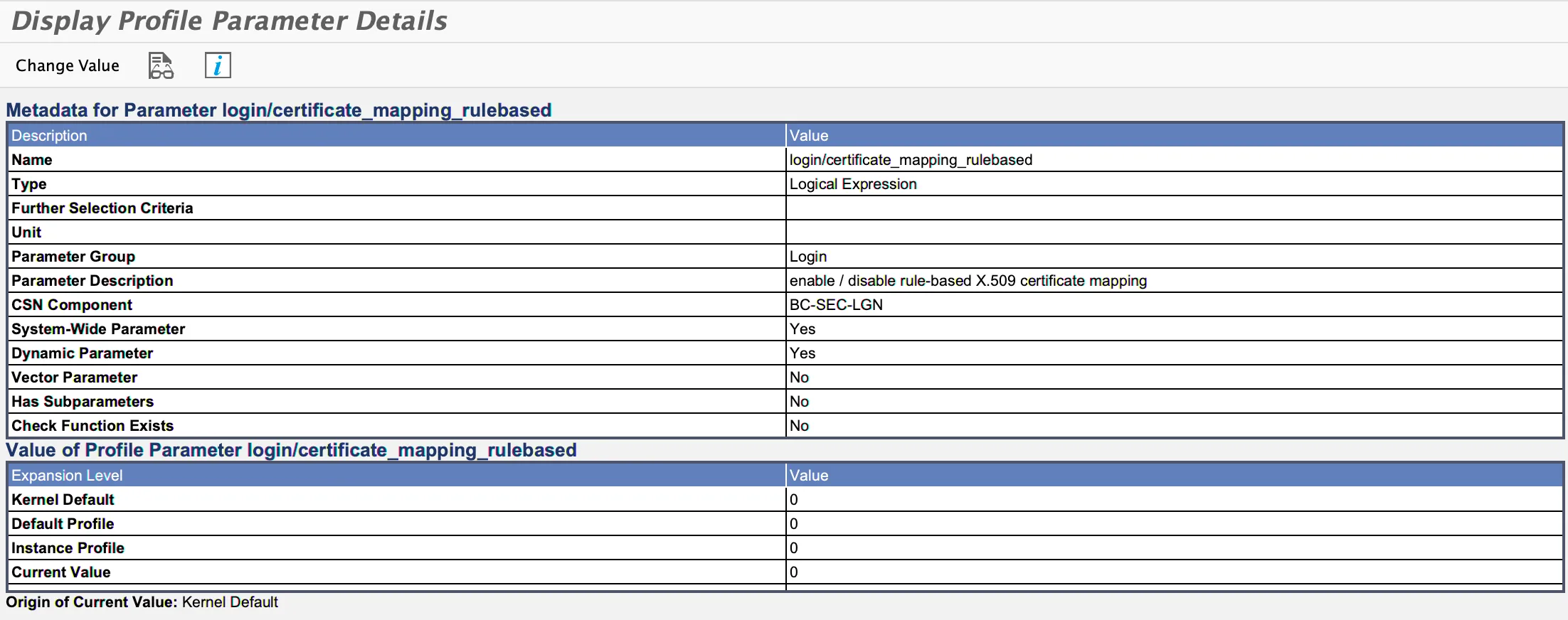
To change the profile parameter value, click on “Change Value”. (Or set the value in the instance profile via RZ10).

Set new value to 1
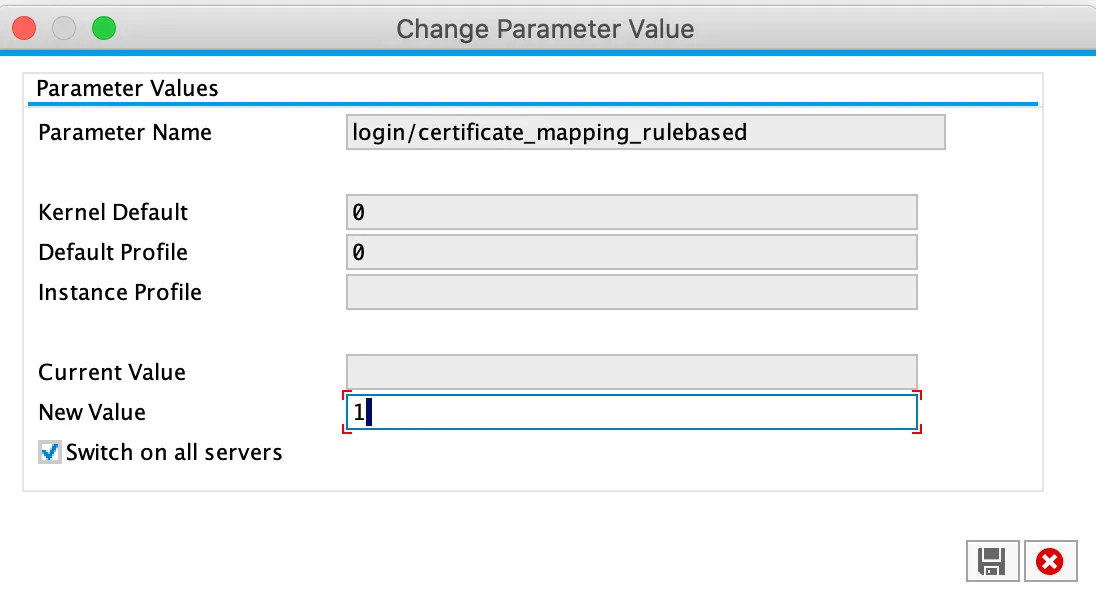
Save to make the change persistent and to activate it. Now NW ABAP is using wizard-based certificate mapping to map X.509 certificates to users.
Configure automatic certificate mapping
Optional pre-requisite
To make it easier for creating the rule, use a user certificate as a template. Let the CA issue a certificate for your user. Transform the PEM certificate to CRT format:
openssl x509 -outform der -in tobias.crt.pem -out tobias.crt
Start the user mapping configuration.
Tx: CERTRULE
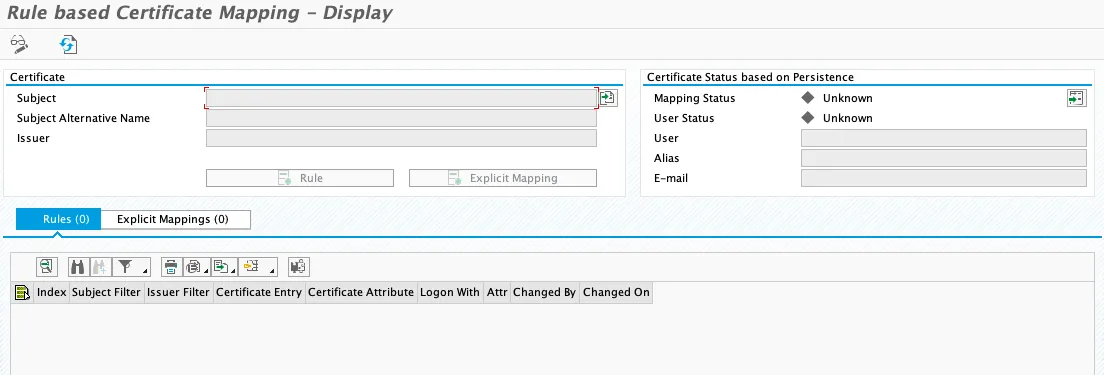
Enter edit mode and import your template user certificate.
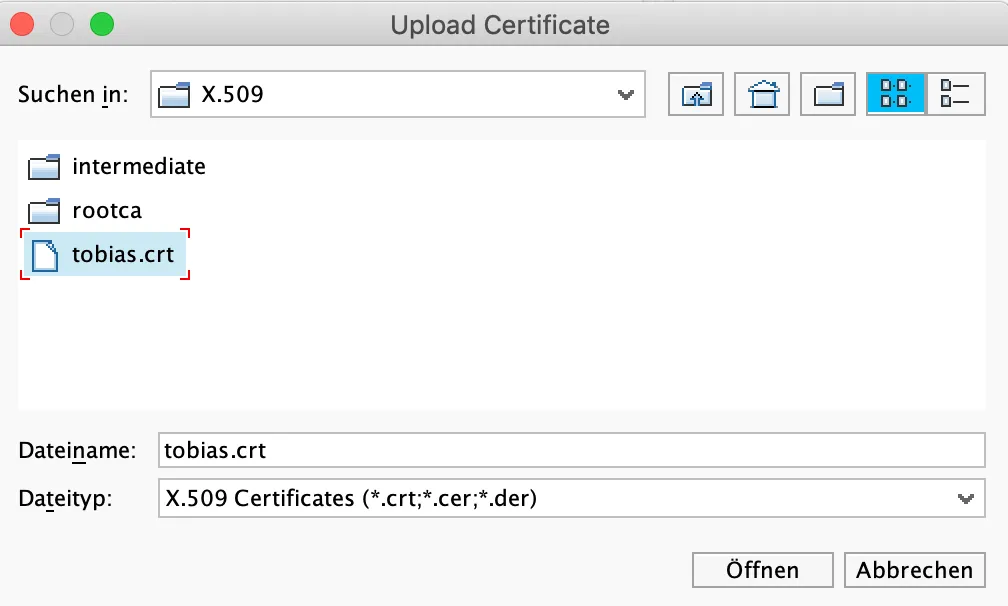
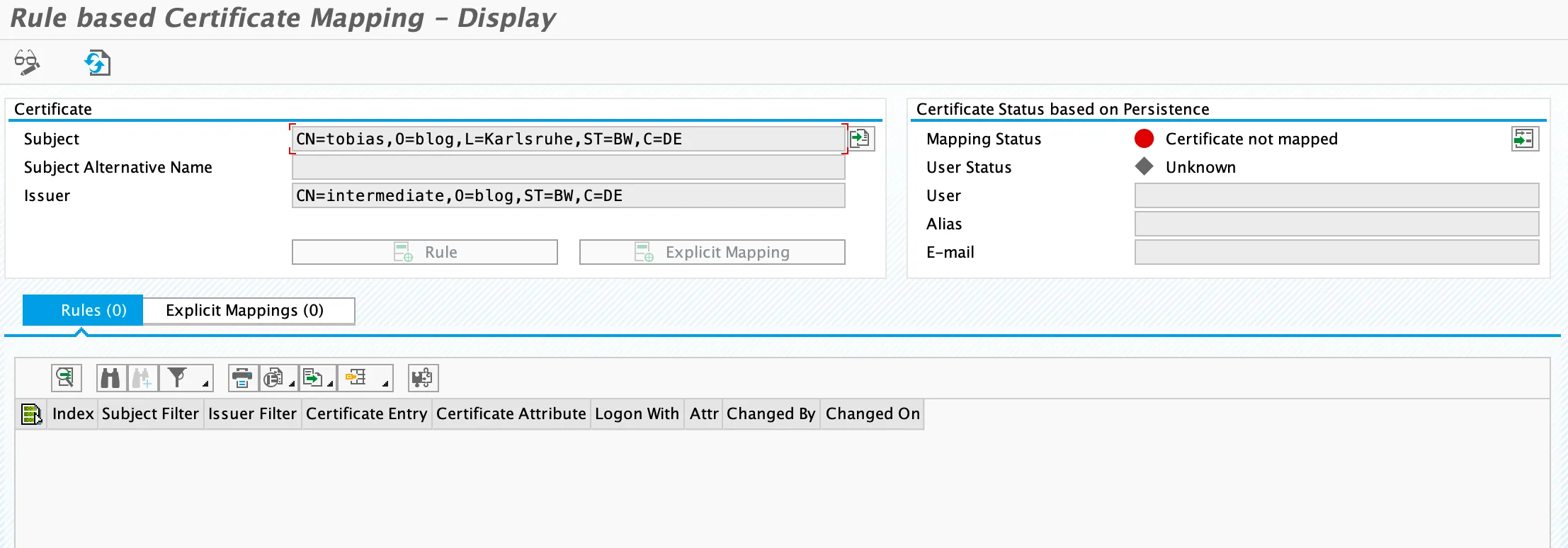
Click on rule to start defining the mapping rule.
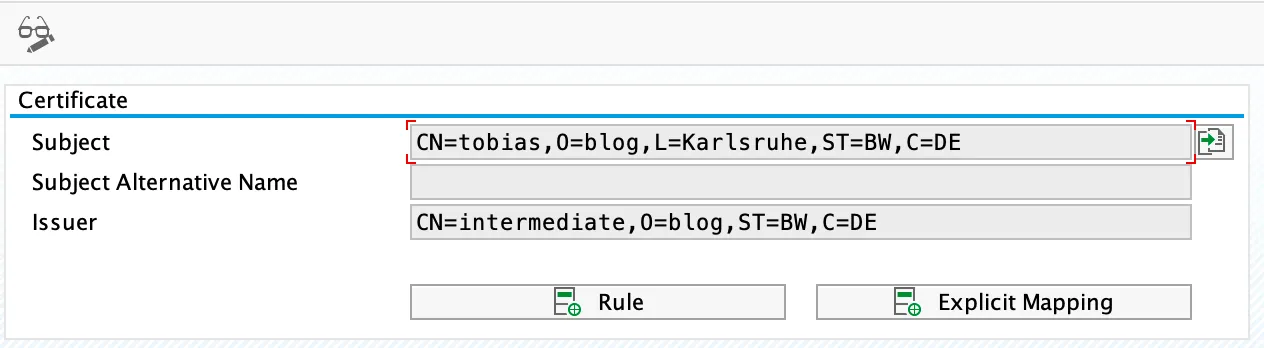
Click on the dropdown in the fields Certificate Attr.
Certificate Attr.: CN=tobias
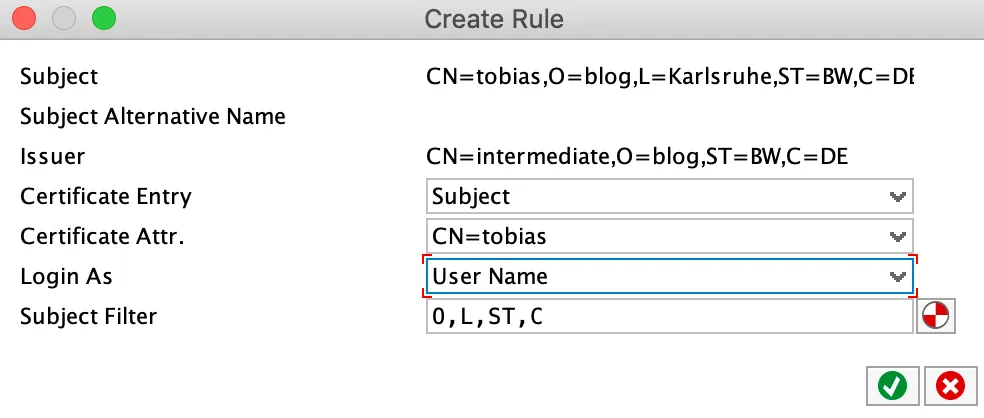
The subject filter is filled out automatically. The filter is a great source for errors, as the order of the subject must match exactly how NW ABAP is reading the subject from the certificate.
Result
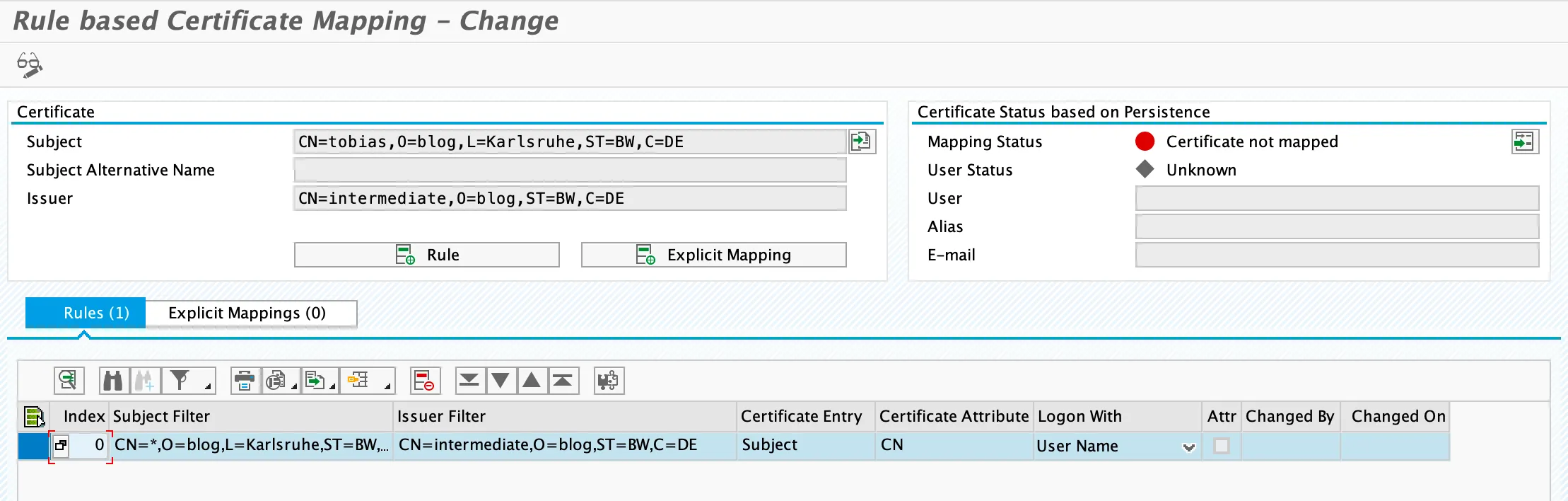
Note that the mapping status is still red. This will only be validated after clicking on Save. Mapping status is validated and changes to green.
