

In the previous blog I detailed the BADI provided by SAP for creating and updating a user that logs on via SAML 2.0 and what to take care of. In this blog I’ll detail how to implement the BADI. The implementation means that some ABAP coding is needed.
Tx SE80
Package: SAML2_COMMON
Badi: BADI_SAML20_USER_CREATE_UPDATE
Click on Implement Enhancement Spot (or press F6).
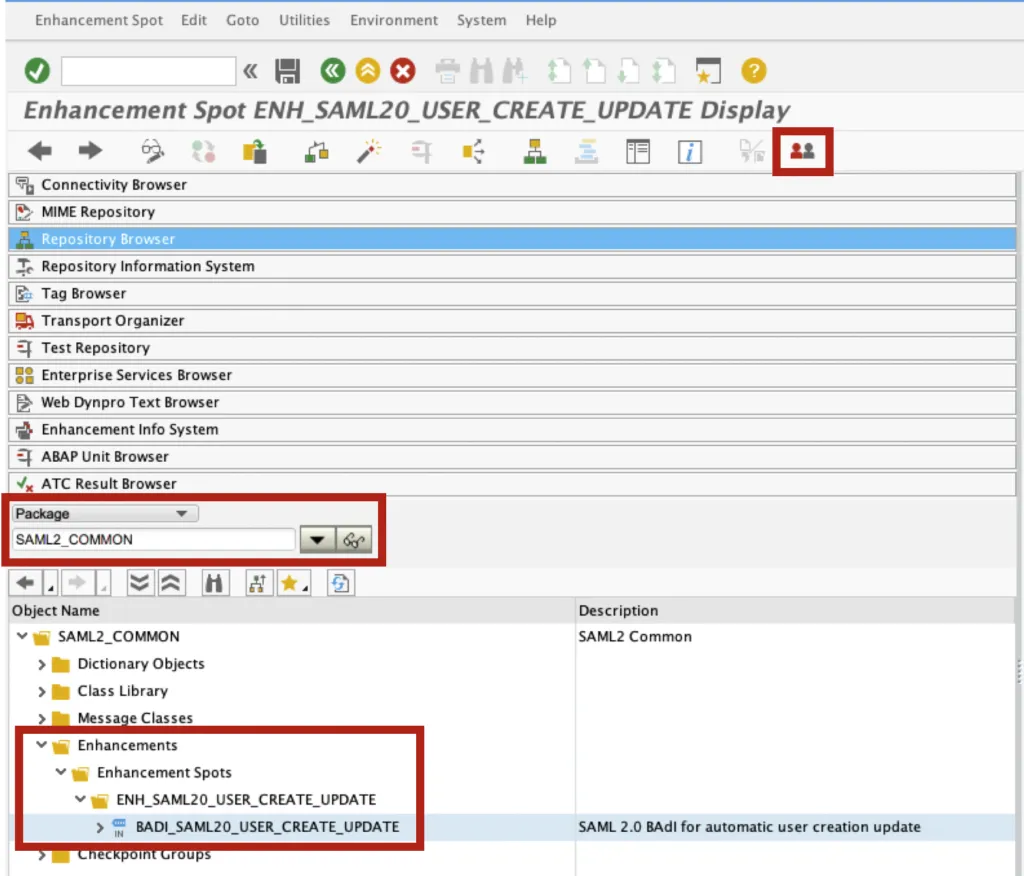
You’ll have to create a BADI container first, then the implementing class. Let’s create the container for the BADI that contains the implementing classes.
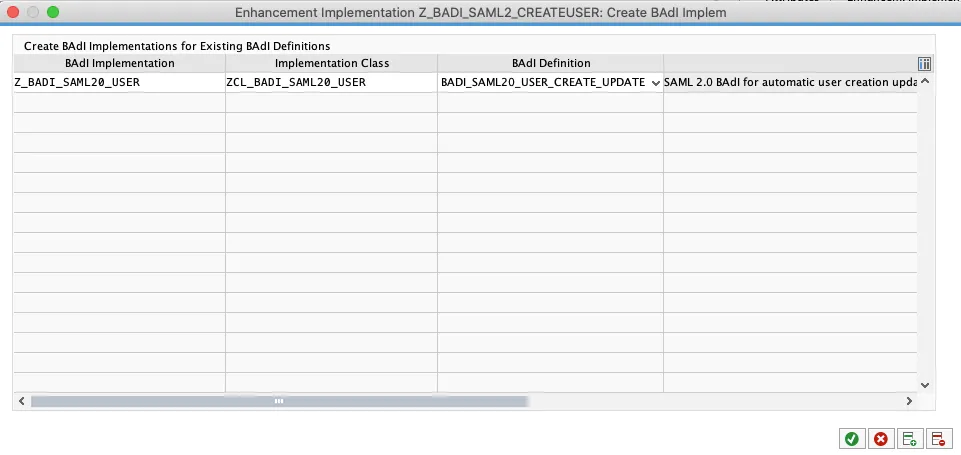
Enhancement implementation: z_badi_saml2_createuser
Short text: Create user via SAML2 logon

Create the implementing class.
BADI implementation: Z_BADI_SAML20_USER
Class name: ZCL_BADI_SAML20_USER
BADI Definition: BADI_SAML20_USER-CREATE_UPDATE
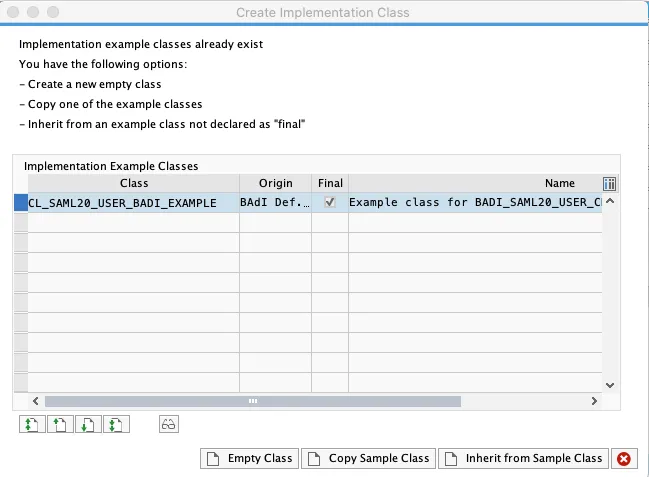
A message is shown asking if you want to start from scratch or use the provided example class as a starting point. Select the sample class and click on “Copy Sample Class”.
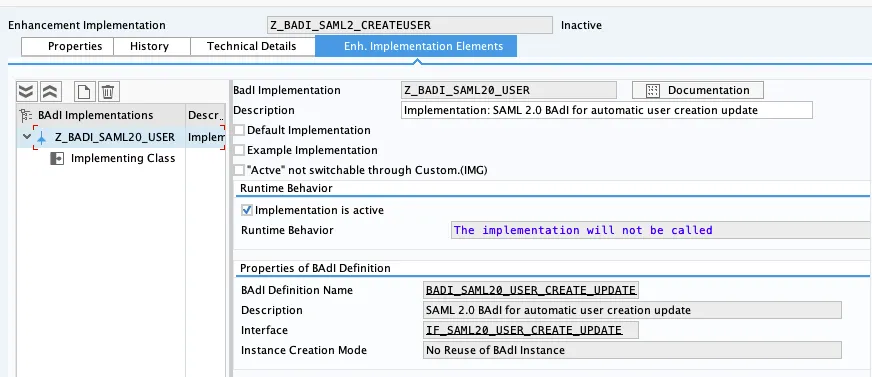
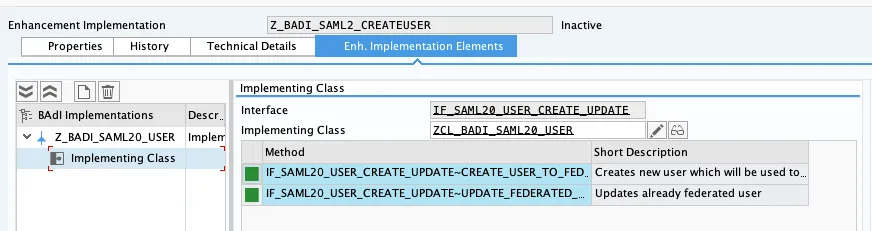
In the BADI, we can now see the created container and class in the tab “Enh. Implementation Elements”.
In the class, delete the lines that check for the SAP internal IdP. Delete:
"Check if the assertion was issued by the allowed IdPs
IF iv_assertion_issuer_name <> 'idp904.saplabs.sofia' AND
iv_assertion_issuer_name <> 'idp905.saplabs.sofia' AND
iv_assertion_issuer_name <> 'idp906.saplabs.sofia'.
"Assertion was issued by unknown issuer - we won't create a new user and we'll stop the authentication
RAISE EXCEPTION TYPE cx_saml20
EXPORTING
c_stack = cx_saml20=>create_callstack( ).
ENDIF.
Save and activate the class. The runtime behavior must be “The implementation will be called”.
