

Szenario
A trust between the SAML 2.0 IdP and SP is created. A user tries to log on to NetWeaver and after successfully logging in at the IdP, the SP is denying access.
Problem
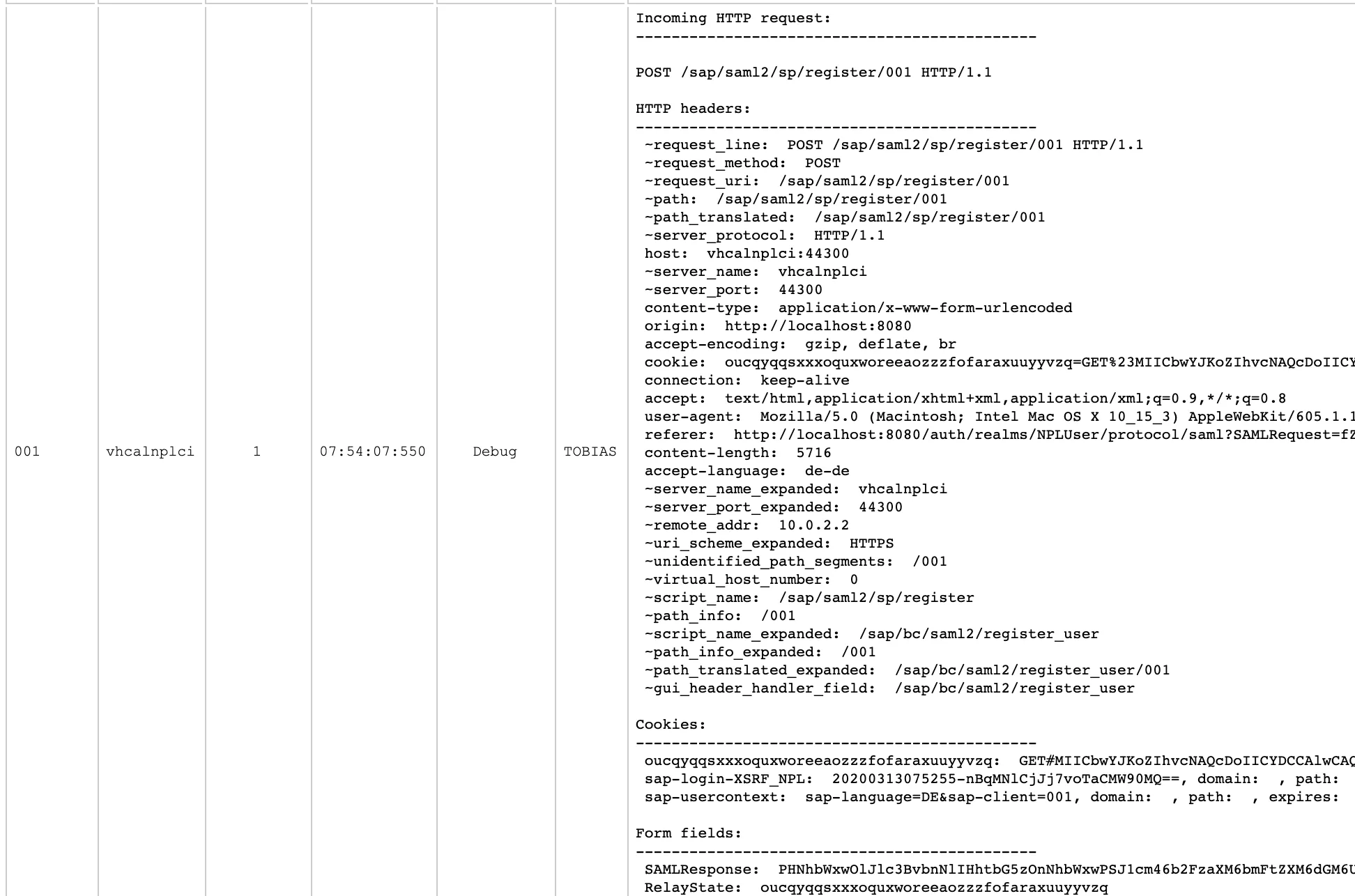
Using the diag tool to get a trace of the SAML 2.0 logon. The incoming request after the user logged on at the IdP and is redirected is shown in the screensot below.
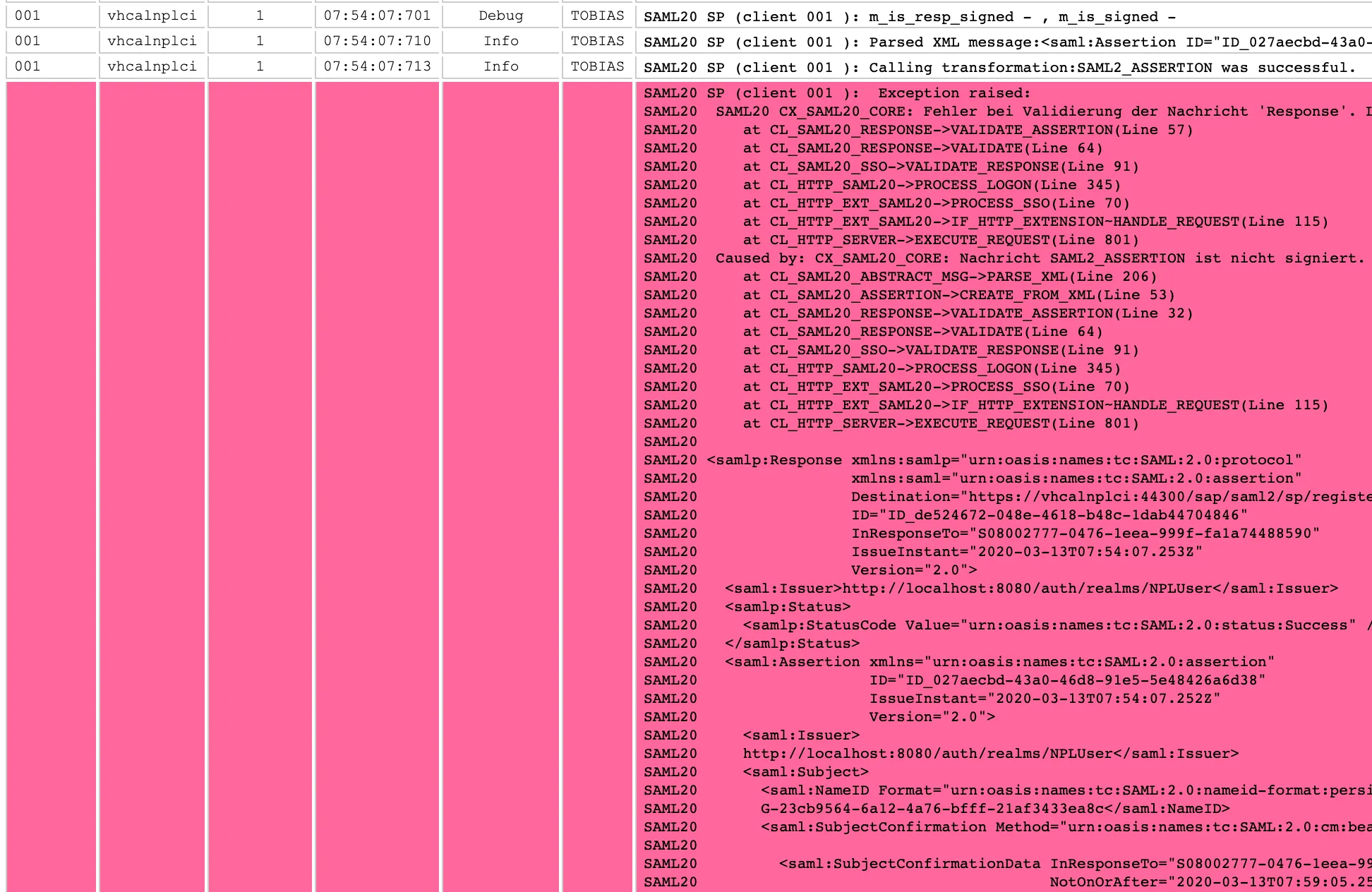
In the diag tool, scroll down to the errors that are marked in red.
Root Cause
The root error causing the SAML 2.0 logon to fail is written in the log:
CX_SAML20_CORE: Message is not signed.
SP (client 001 ): Exception raised: SAML20 SAML20 CX_SAML20_CORE: Fehler bei Validierung der Nachricht 'Response'. Long text: Fehler bei Validierung der Nachricht 'Response'. SAML20 at CL_SAML20_RESPONSE->VALIDATE_ASSERTION(Line 57) SAML20 at CL_SAML20_RESPONSE->VALIDATE(Line 64) SAML20 at CL_SAML20_SSO->VALIDATE_RESPONSE(Line 91) SAML20 at CL_HTTP_SAML20->PROCESS_LOGON(Line 345) SAML20 at CL_HTTP_EXT_SAML20->PROCESS_SSO(Line 70) SAML20 at CL_HTTP_EXT_SAML20->IF_HTTP_EXTENSION~HANDLE_REQUEST(Line 115) SAML20 at CL_HTTP_SERVER->EXECUTE_REQUEST(Line 801) SAML20 Caused by: CX_SAML20_CORE: Nachricht SAML2_ASSERTION ist nicht signiert. Long text: Nachricht SAML2_ASSERTION ist nicht signiert. SAML20 at CL_SAML20_ABSTRACT_MSG->PARSE_XML(Line 206) SAML20 at CL_SAML20_ASSERTION->CREATE_FROM_XML(Line 53) SAML20 at CL_SAML20_RESPONSE->VALIDATE_ASSERTION(Line 32) SAML20 at CL_SAML20_RESPONSE->VALIDATE(Line 64) SAML20 at CL_SAML20_SSO->VALIDATE_RESPONSE(Line 91) SAML20 at CL_HTTP_SAML20->PROCESS_LOGON(Line 345) SAML20 at CL_HTTP_EXT_SAML20->PROCESS_SSO(Line 70) SAML20 at CL_HTTP_EXT_SAML20->IF_HTTP_EXTENSION~HANDLE_REQUEST(Line 115) SAML20 at CL_HTTP_SERVER->EXECUTE_REQUEST(Line 801)
Solution
The SP is configured to only accept a SAMLResponse from the IdP that is signed. Therefore, the IdP must be configured to sign SAMLResponse. In Keylcoak, activate signing for the client.


Result
The assertion is now validated successfully.
