Szenario
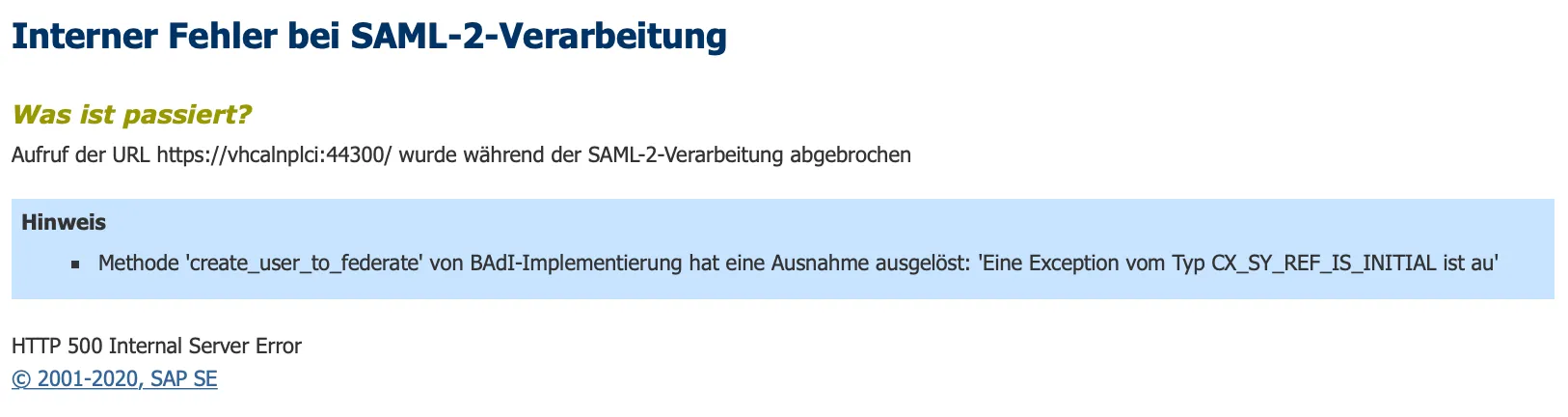
A trust between the SAML 2.0 IdP and SP is created. A user tries to log on to NetWeaver and after successfully logging in at the IdP, the SP is denying access.
Problem
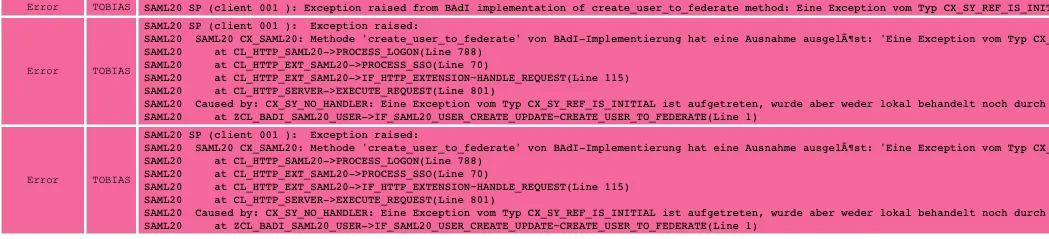
An error in the BAdI create_user_to_federate is thrown. Exception type CX_SY_REF_IS_INITIAL.
Trace
Use the diag tool 🔗 to trace the SAML 2.0 logon.
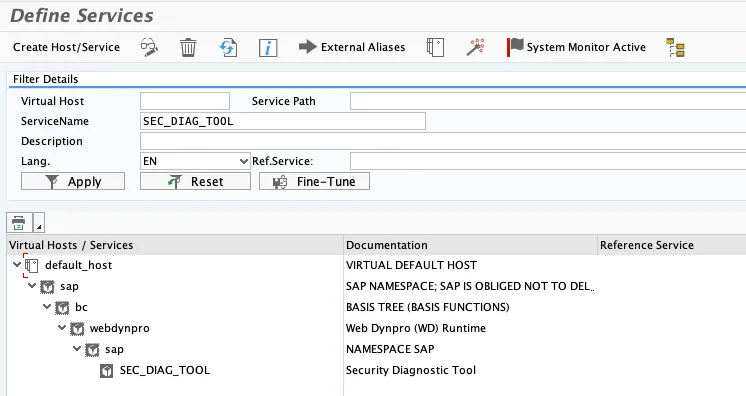
The error is shown in red.
Root cause
The error occurred at the BADI implementation class ZCL_BADI_SAML20_USER.
ZCL_BADI_SAML20_USER->IF_SAML20_USER_CREATE_UPDATE~CREATE_USER_TO_FEDERATE(Line 1)
Take a look at class ZCL_BADI_SAML20_USER.
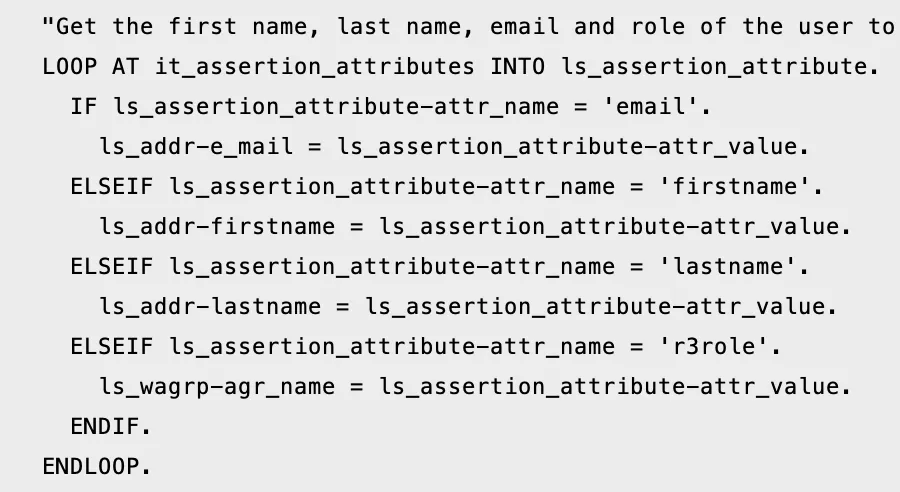
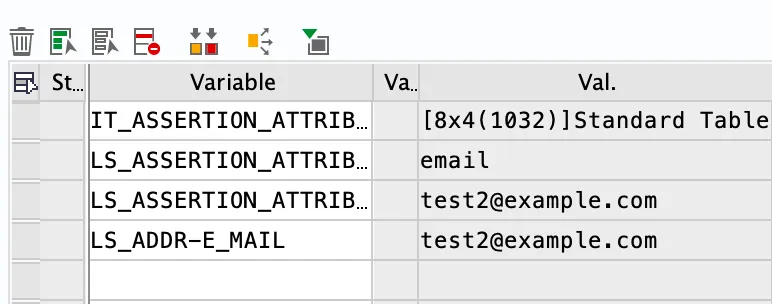
Inside the method, we are checking if the SAML attribution received have a name that matches either email, firstname or lastname. In Keycloak, using the default values will give a SAML file:
<saml:Attribute
FriendlyName="email"
Name="urn:oid:1.2.840.113549.1.9.1"
NameFormat="urn:oasis:names:tc:SAML:2.0:attrname-format:basic">
- Friendly name is: firstname
- Name is: urn:oid:1.2.840.113549.1.9.1
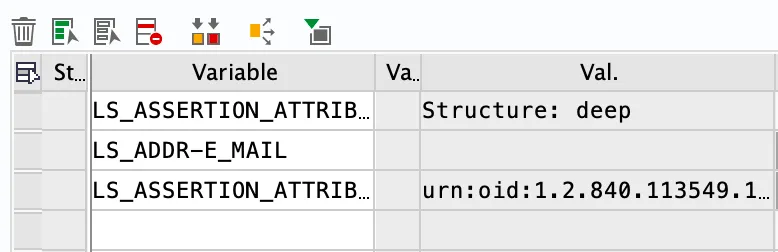
In the ABAP debugger, you can see these values: ATTR_NAME matches urn:oid:1.2.840.113549.1.9.1

The received value is correct for the email of the user. But the if will fail, the variables needed for the user information (firstname, lastname) won’t be set.
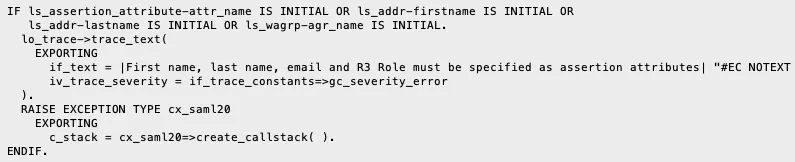
As the next steps in the methods are to check if the values are set, and this check fails, an exception is raised.
Solution
To fix this error you have two options:
- Change the ABAP source code to match the values Keycloak is sending in the SAML assertion
- Change Keycloak configuration to use the names expected by the ABAP class.
I’ll show how to solve the problem by configuring Keycloak. Go to Keycloak and open the client configuration (NPL001). Go to tab “Mappers”.
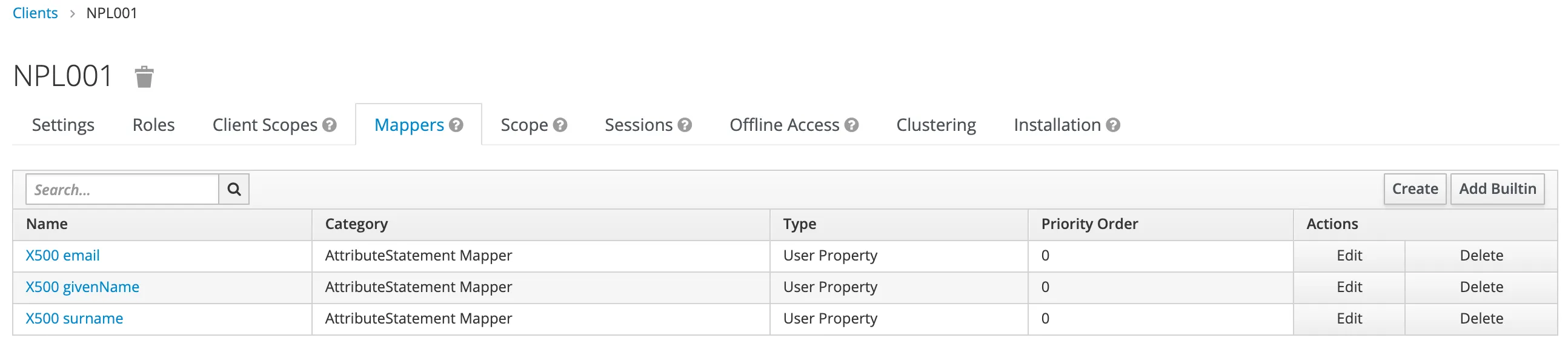
For each of the mapper, click on edit and insert to correct value for the name.
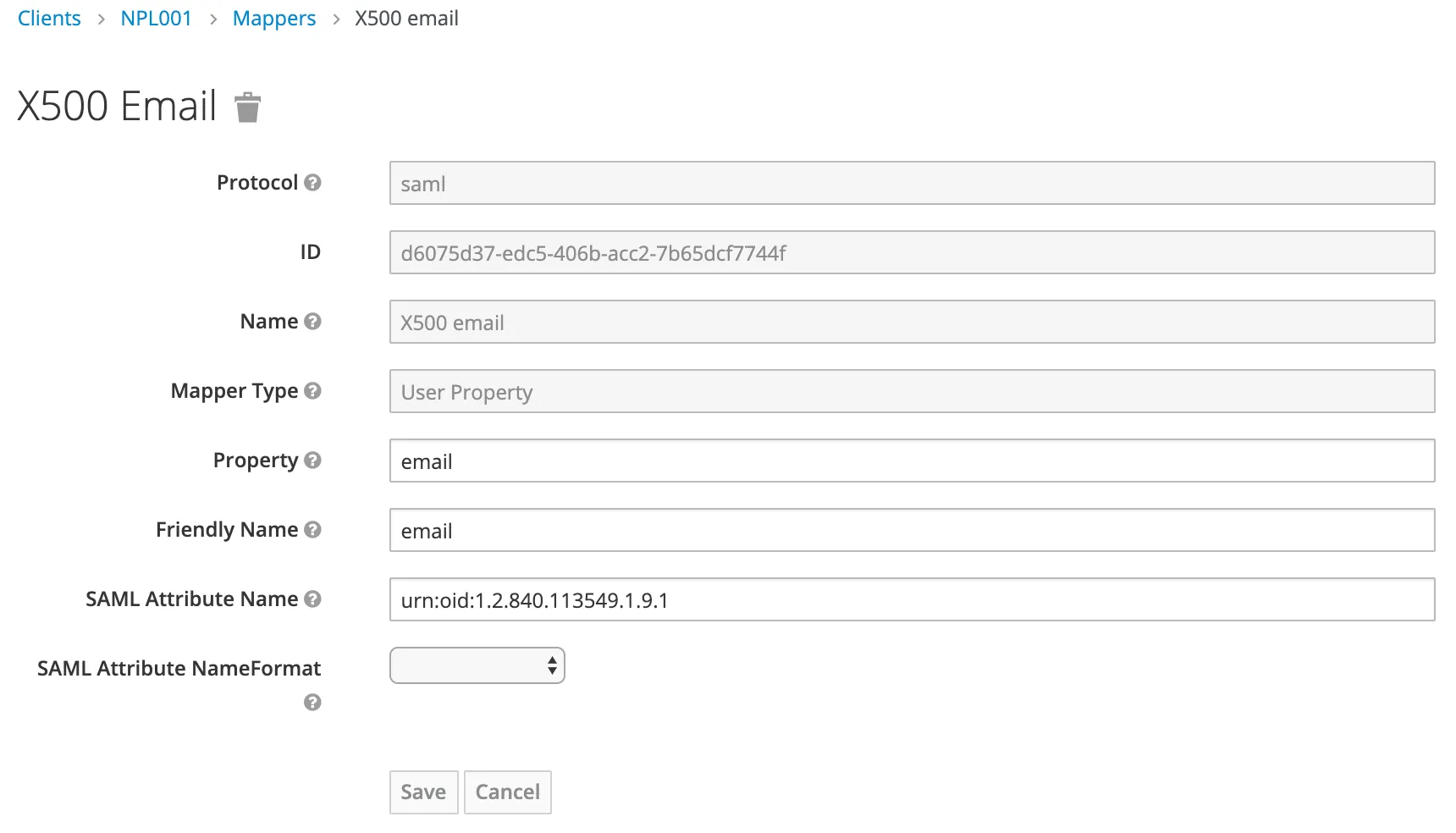
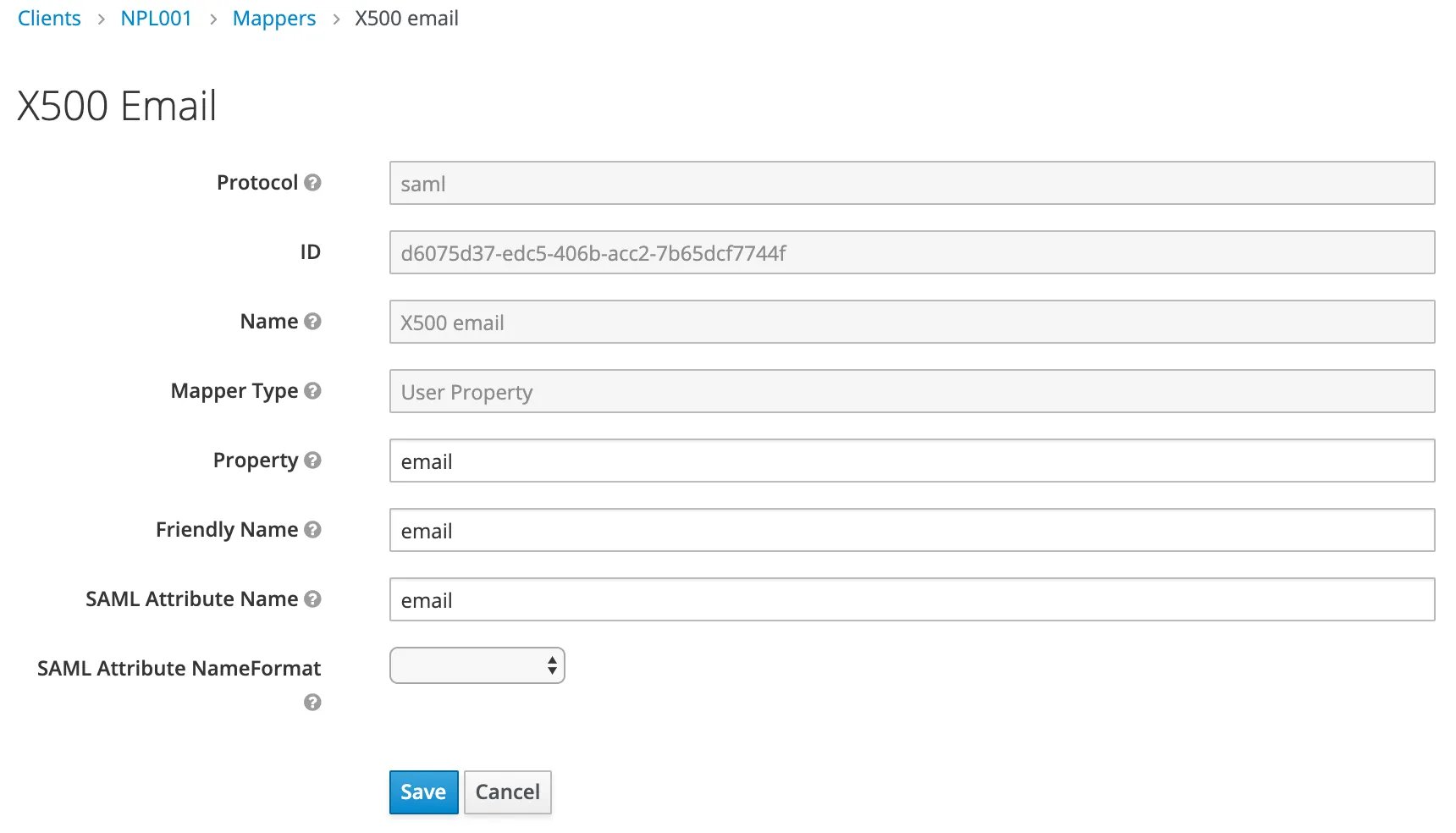
Change the value for SAML Attribute Name to email.
Original value: urn:oid:1.2.840.113549.1.9.1
New value: email
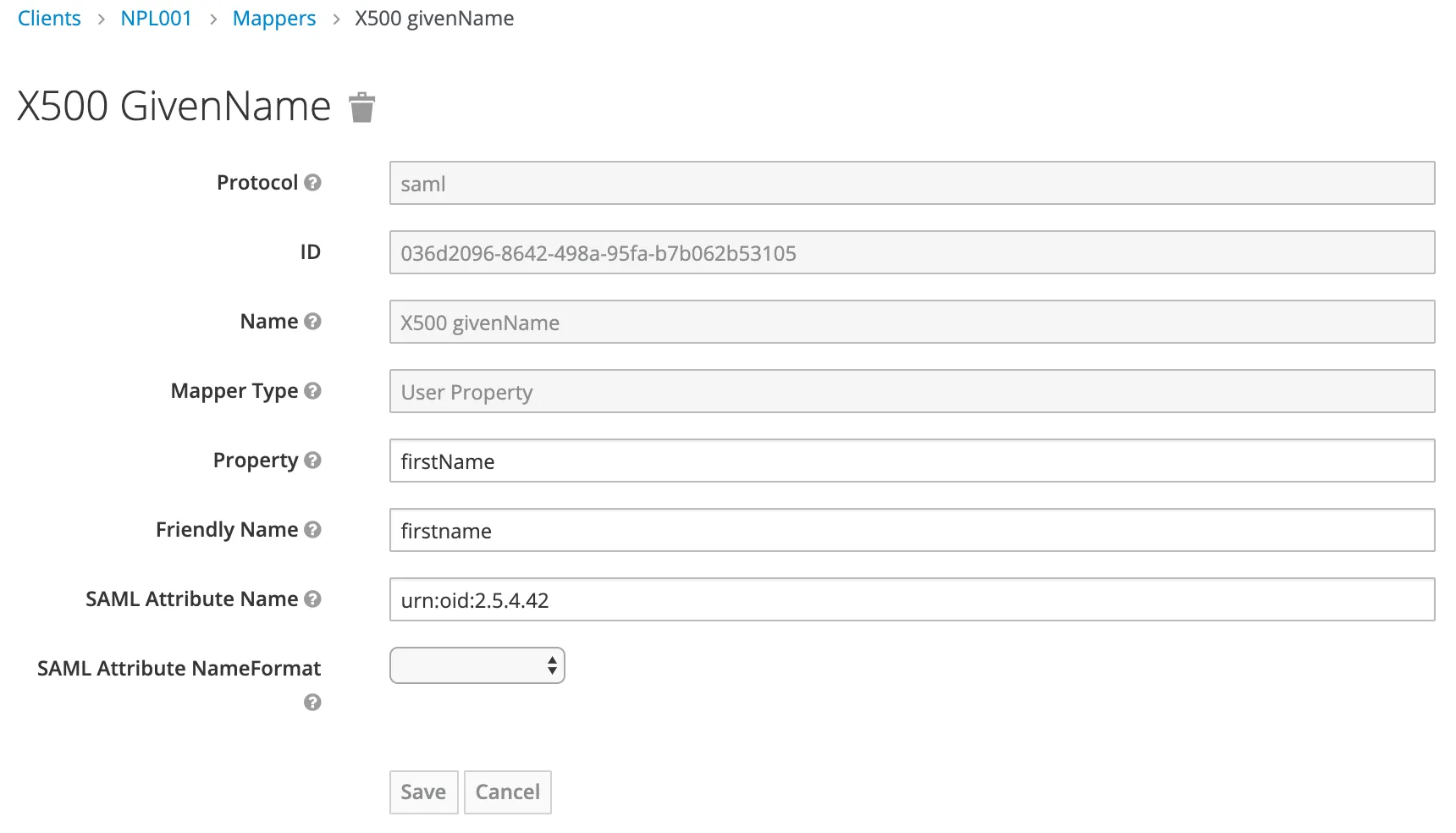
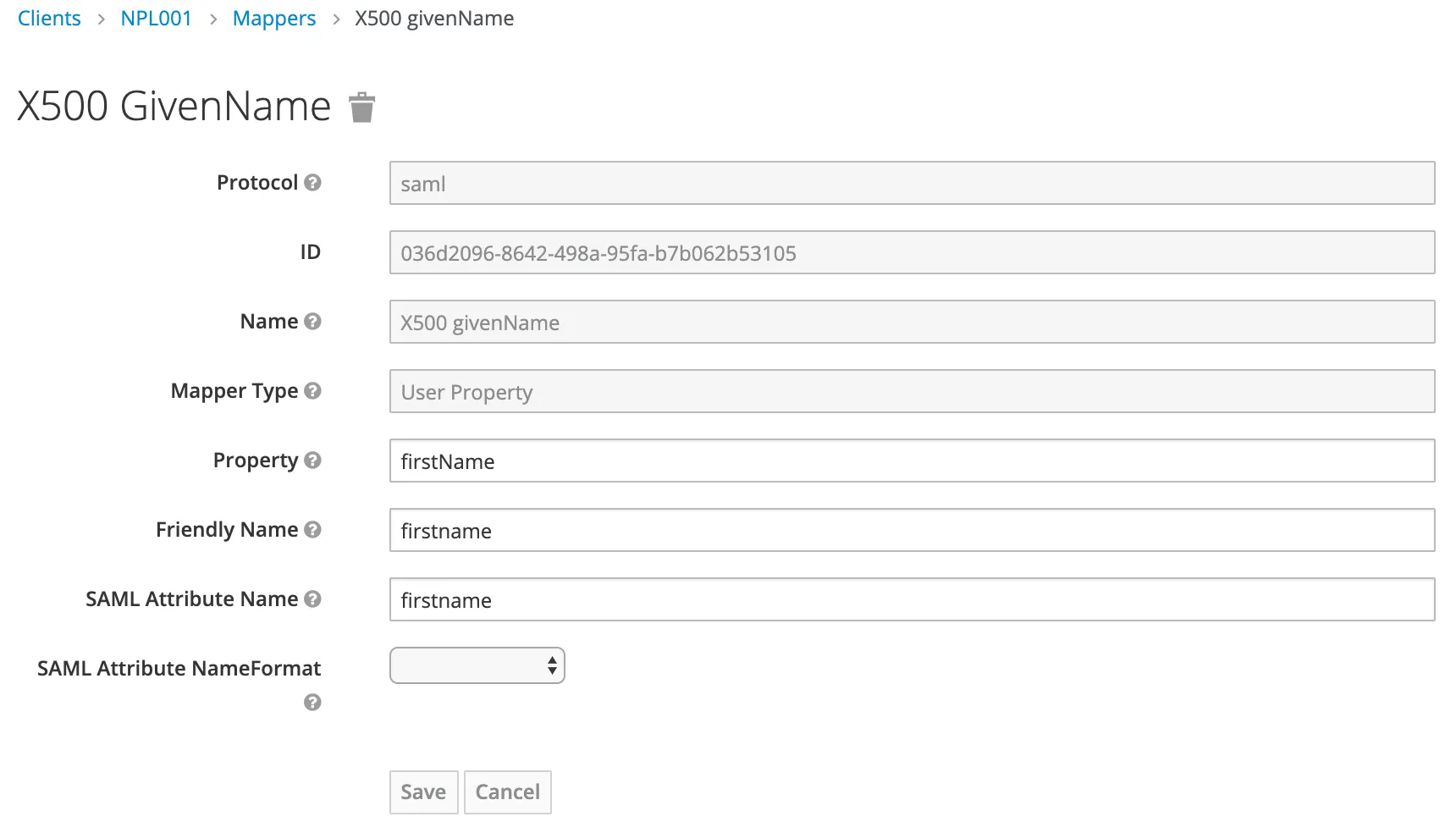
Given Name
Original value: urn:oid:2.5.4.42
New value: firstname
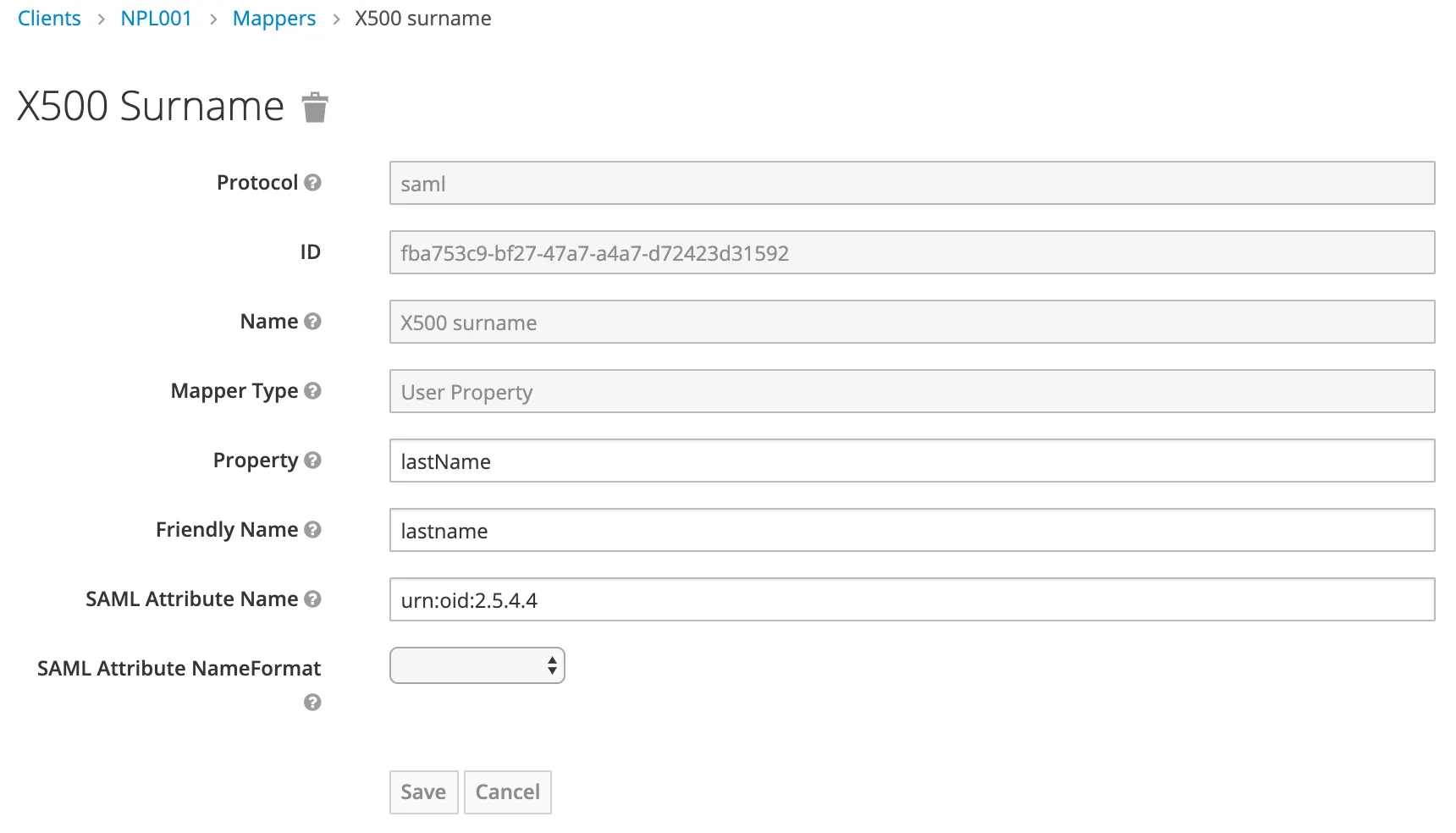
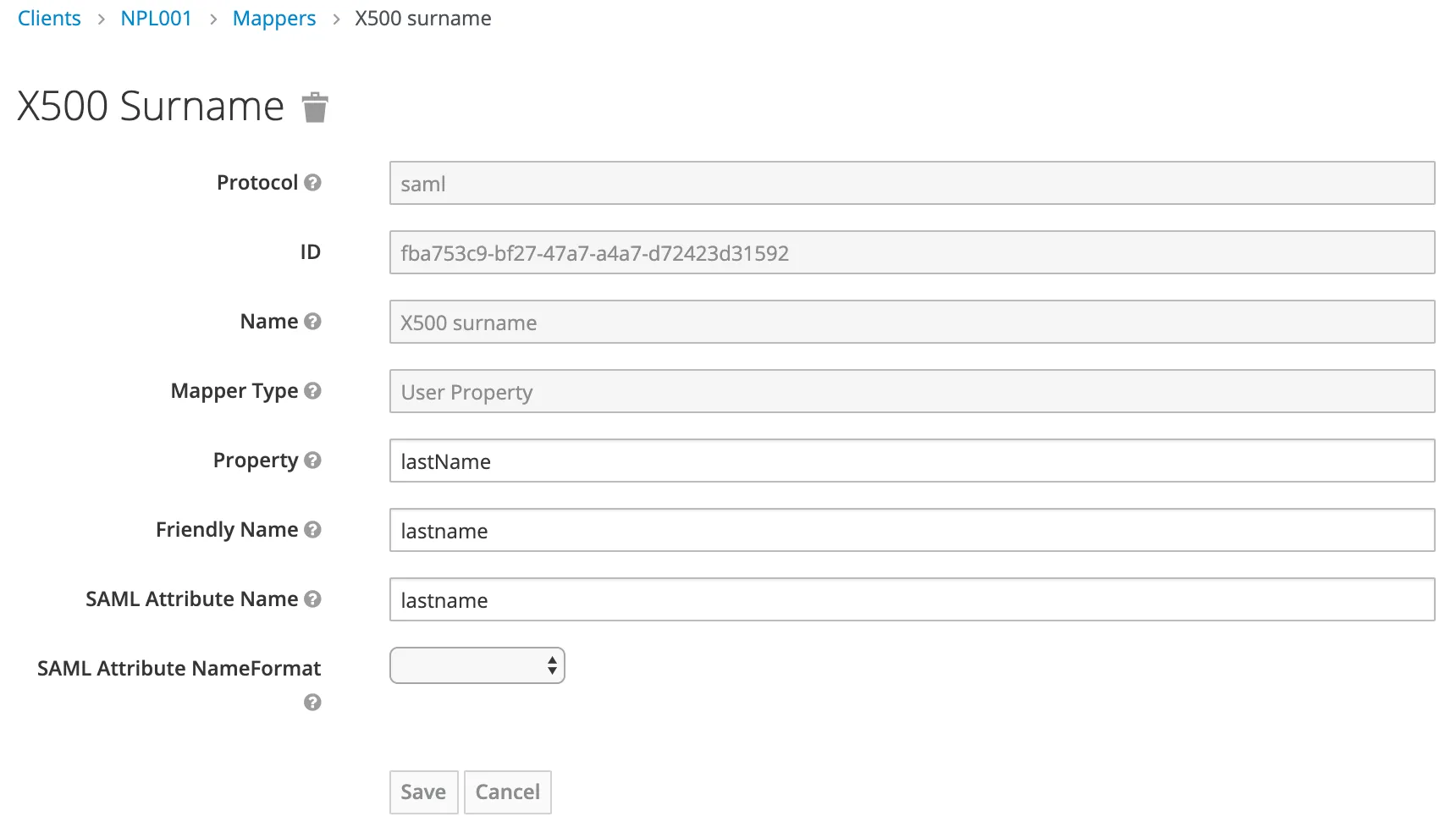
Surname
Original value: urn:oid:2.5.4.4
New value: lastname
Why?
The default values are for X.509 mapping.
R3ROLE
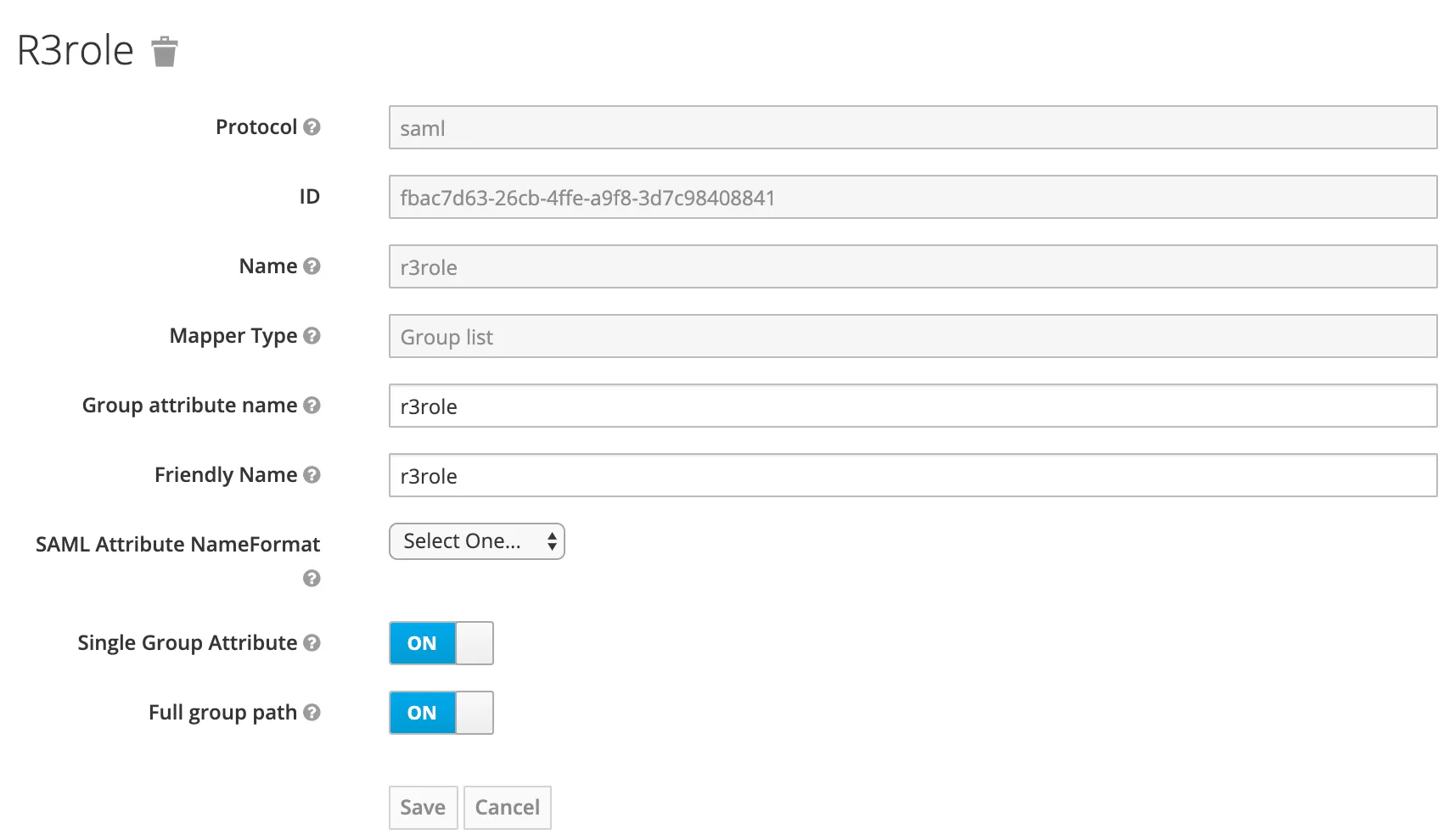
Additionally to the user information, the ABAP class also checks for a r3role assertion. You can set this here too. It’s not mandatory, as the sample code from SAP won’t fail in case no r3role property is provided.
Create a new mapper.
Type: Group list
Name: r3role
Group attribute name: r3role
Create a new role
Result
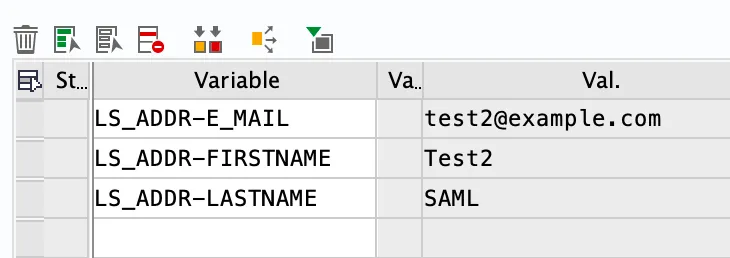
Logging in again via SAML will call the above ABAP method again. This time, the values are read correctly and the values for the user are taken from the SAML Assertion.
Going through the assertions
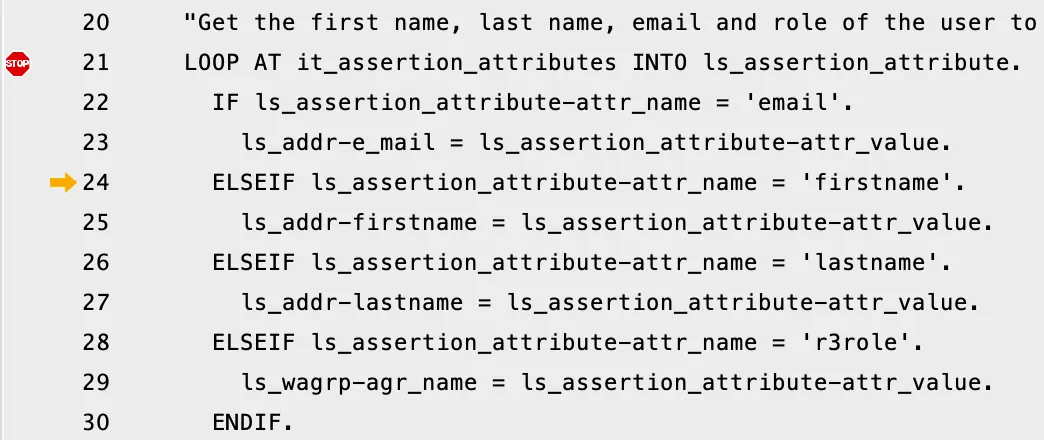
Assigning values to variables.