

Installing Docker on a Raspberry Pi is as easy as following the official Docker installation guide 🔗. This document contains the steps to install Docker in a wide range of Debian based systems, including Raspbian. As the steps are in one document you have to jump to different sections 🔗. To make it clearer / easier, I’ll just show the necessary steps for Raspbian.
Preparation
Remove eventually installed obsolete docker versions.
sudo apt-get update
sudo apt-get remove docker docker-engine docker.io containerd runc

Installation
Installation on Raspbian is done via convenience script. Read the warning text carefully, as you are going to install packages as root without really knowing what Docker is going to install. As recommended, you should check the content of the downloaded script. I’d like to have Docker also share a checksum for the file in their documentation.
curl -fsSL https://get.docker.com -o get-docker.sh
sudo sh get-docker.sh
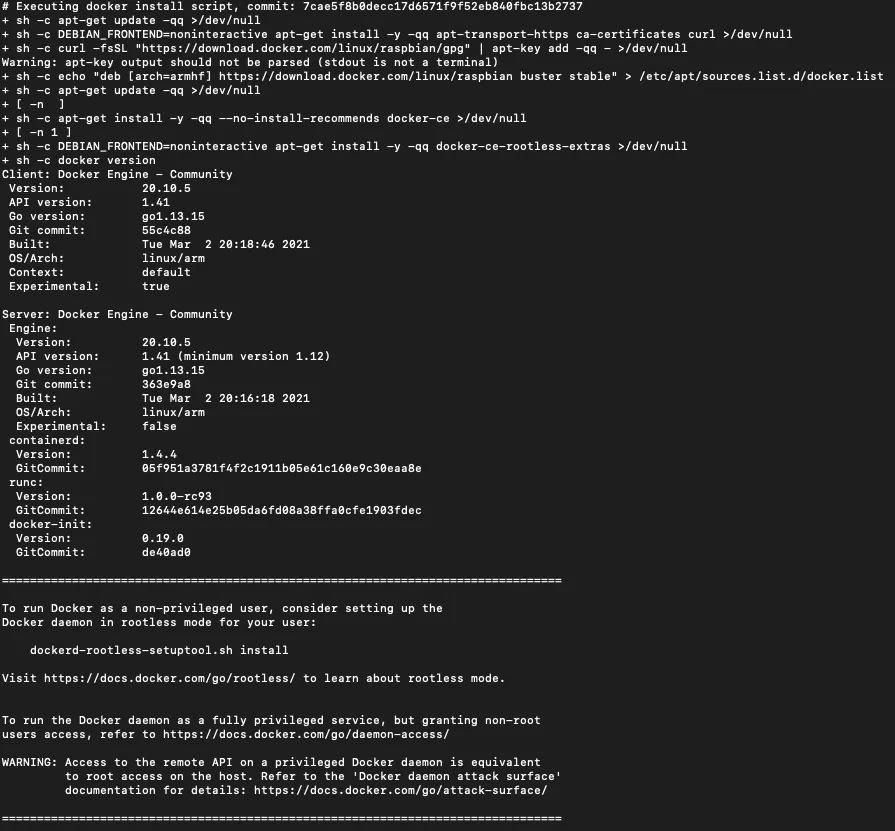
Post-installation
The convenience script adds a Docker repository to your apt configuration. From now on, updates and package management is taken care of via apt.
Additional post-installation steps include running docker as non-root user 🔗 as well as the docker documentation on post-installation 🔗. I tried to get docker running as a non-root user, but in my case the daemon always stopped with an error message. Maybe you have more luck.