

Problem
You want to deploy a Fiori app using the Fiori tools. Running fiori deploy fails with an HTTP 403 error.
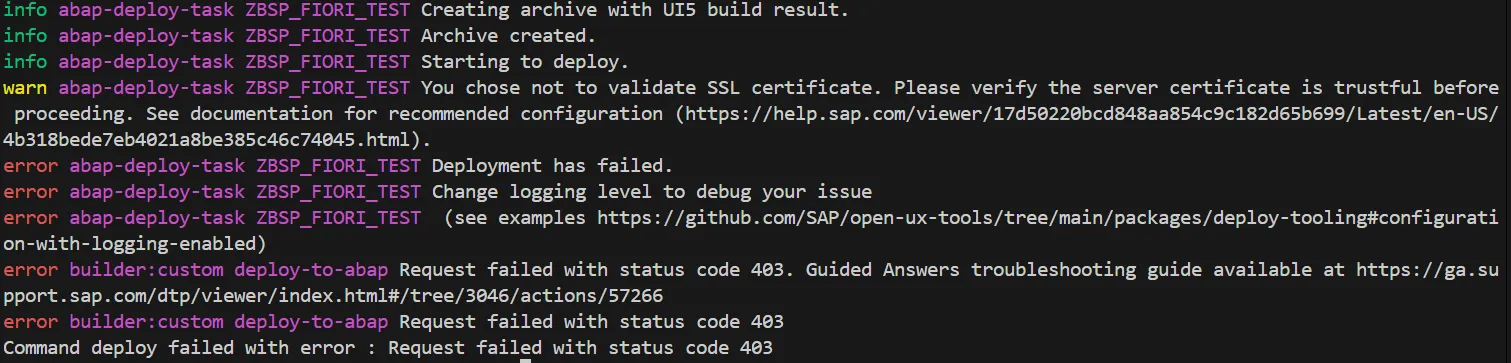
Error: request failed with status code 403.
The application output contains a reference to an ADT API service 🔗. There is also a guided guided answer 🔗 for deploying to an ABAP system available.
Explanation
HTTP 403 🔗 stands for forbidden. The web server understands what you want, but you do not have the required permissions to perform the action.
For the upload to work, some prerequisites must be fulfilled. The UI5 documentation contains some information on this topic: Using an OData Service to Load Data to the SAPUI5 ABAP Repository 🔗
Root Cause
As the documentation states, to be able to deploy a Fiori app via the Fiori tooling (fiori deploy), an OData service is used: /UI5/ABAP_REPOSITORY_SRV
Make sure the OData service /UI5/ABAP_REPOSITORY_SRV is activated. See SAP Note 3270246 🔗 for more information.
In case the service is not activated, the response from the ABAP system is HTTP 403. As the service and therefore the URL does not exist, it would be better to give back HTTP 404: not found. To fix the 403, it is necessary to activate the service /UI5/ABAP_REPOSITORY_SRV
/UI5/ABAP_REPOSITORY_SRV not active
Check if the upload OData service is active and if not, activate it.
Tx: /n/IWFND/MAINT_SERVICE
Check if the service is already activated
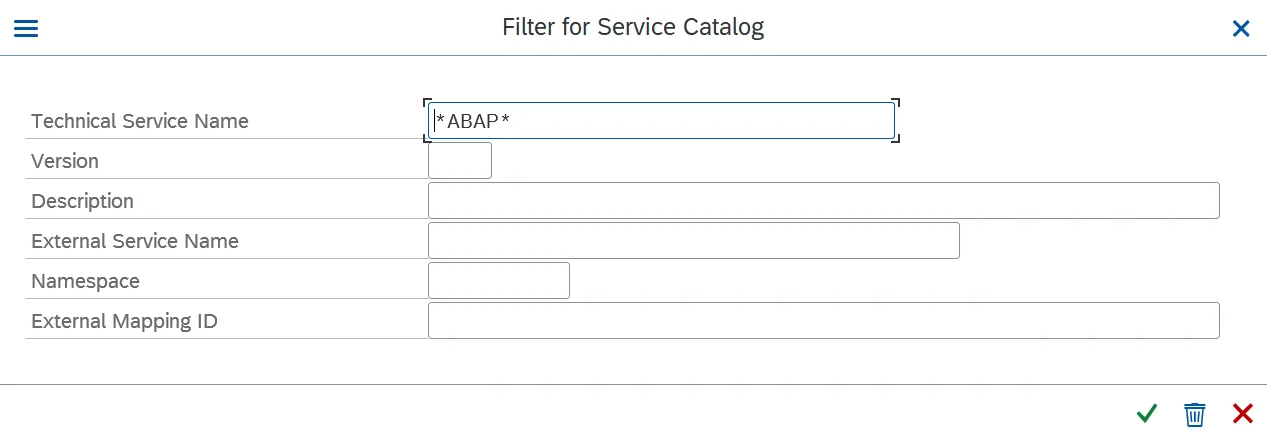 Nothing is returned. The OData service is not active. Therefore, uploading a Fiori app through this service is not possible.

Solution
Tx: /n/IWFND/MAINT_SERVICE
Add service
- System Alias: LOCAL
- Technical Service Name: /UI5/*
Click on Get Services. The service is shown.
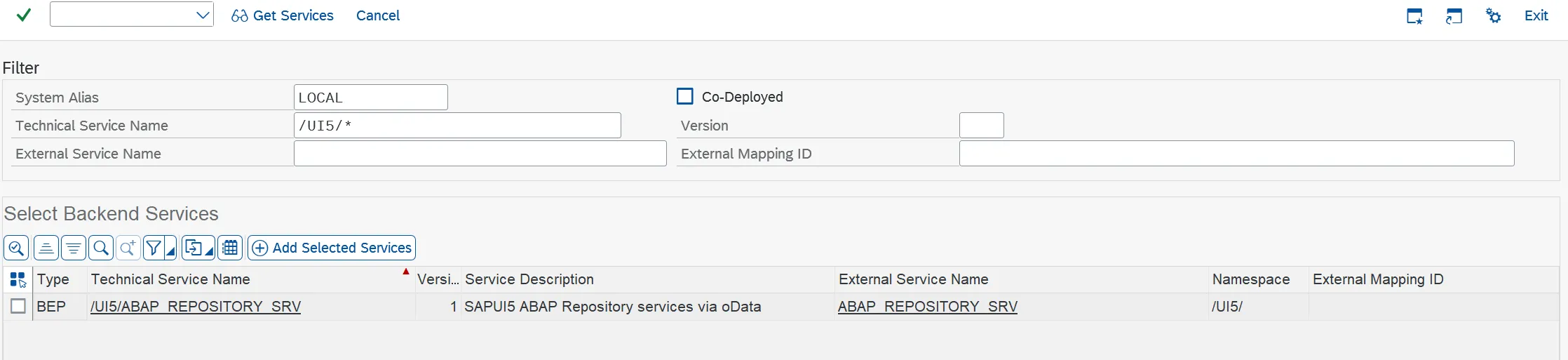
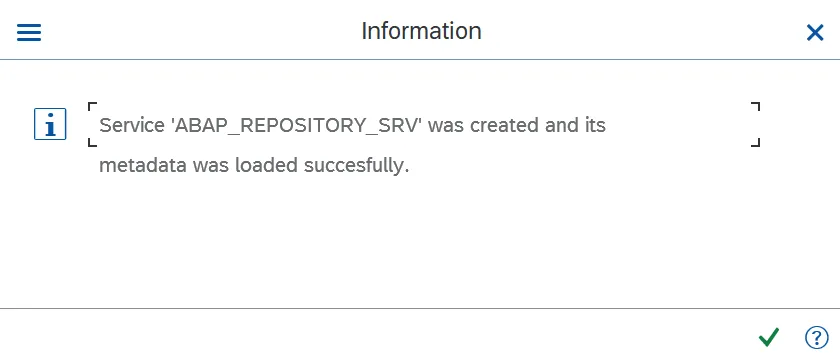
Add the service
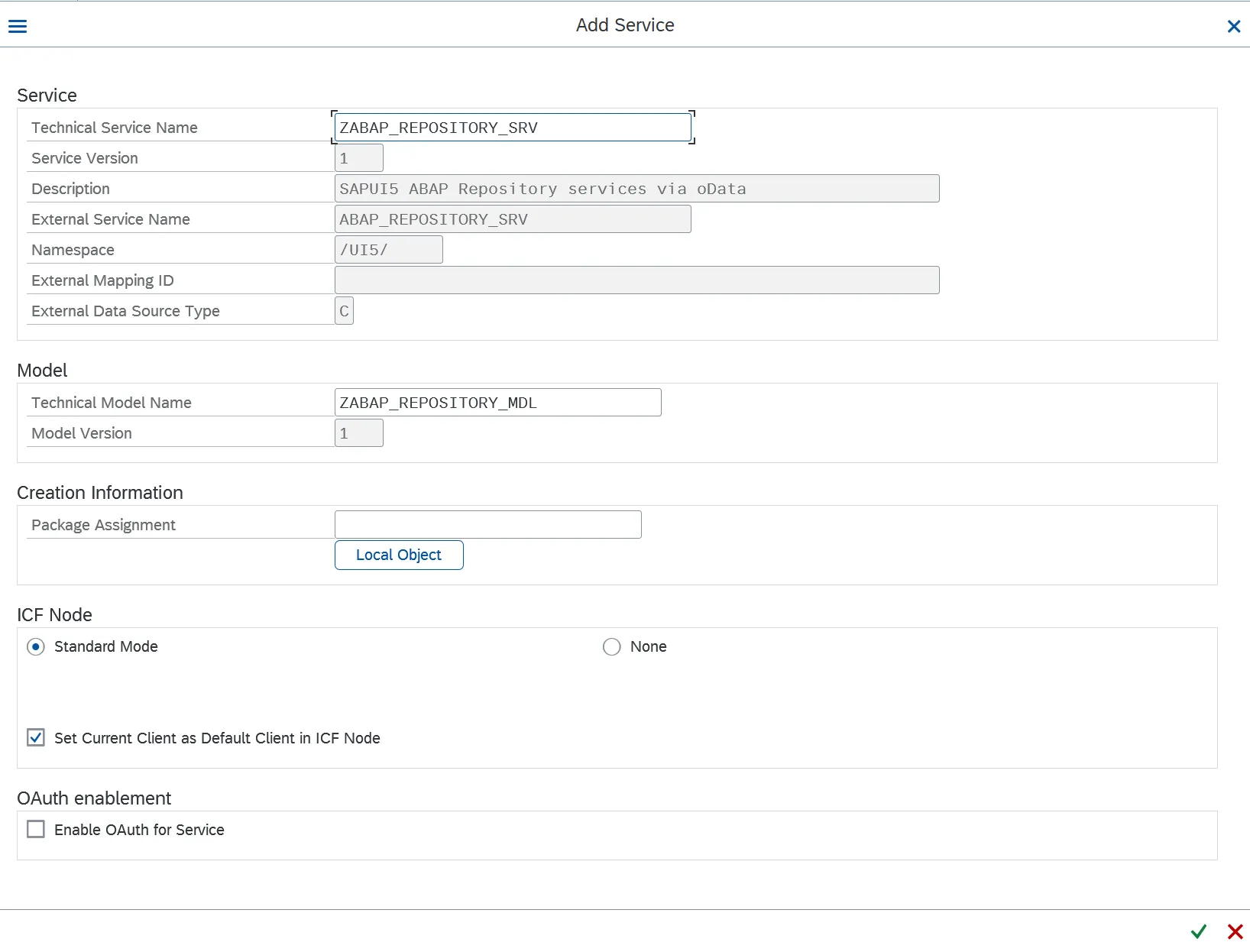
If you do not want to have this service transported – to let only deploys happen in this system, e.g. DEV – give as package $TMP.
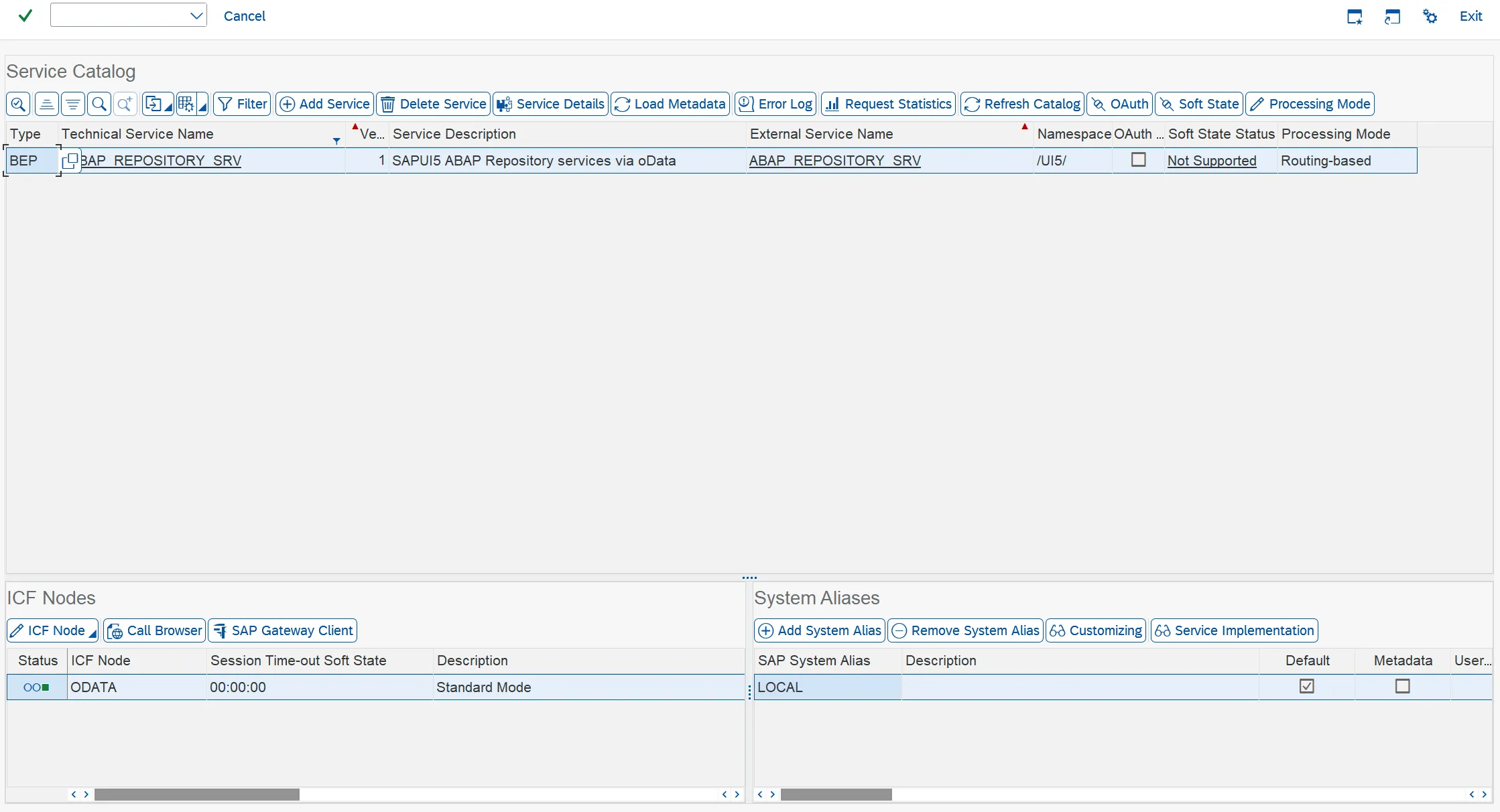
The service is now listed in the maintain services transaction.
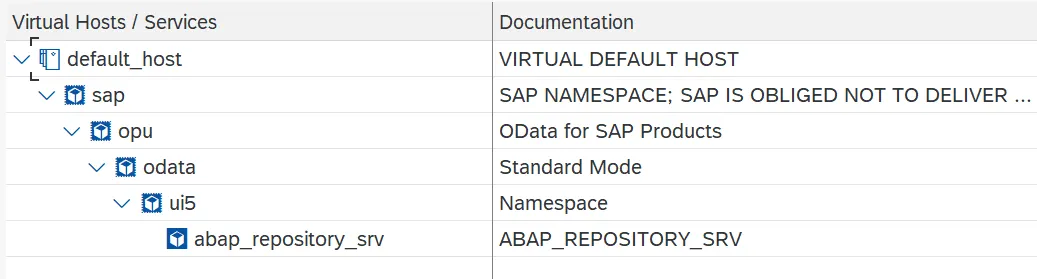
In SICF, the service is now listed under /sap/opu/odata/ui5/ as abap_repository_srv
Result
Deploying a Fiori app via the service should now work.