You are using a self-hosted SonarQube server and want to run the SonarQube scanner to analyze a project. The execution flow of the scanner is to connect to the server, download needed files, scan the project and upload the files to the server. For this to work, the scanner needs to be able to communicate with the SonarQube server. The base configuration therefore is to provide a server URL and a project key. Normally this works just fine, except when your SonarQube server is only accessible by HTTPS and is using a self-signed certificate. The scanner does not offer an option to disable certificate validation. Therefore, the server certificate needs to be valid.

Turning a self-signed into a valid one is done by trusting it. The trust is established when the CA’s involved and the server certificate is trusted 🔗. From the documentation you can see that it is not enough to trust only the involved CAs.
The solution is to create a trust store that includes the certificates and make the sonar scanner use this store.
Obtain server certificate
The first step is to obtain the server certificates. When opening the certificate of the server in the browser, you can see the certificate details and the CA information.
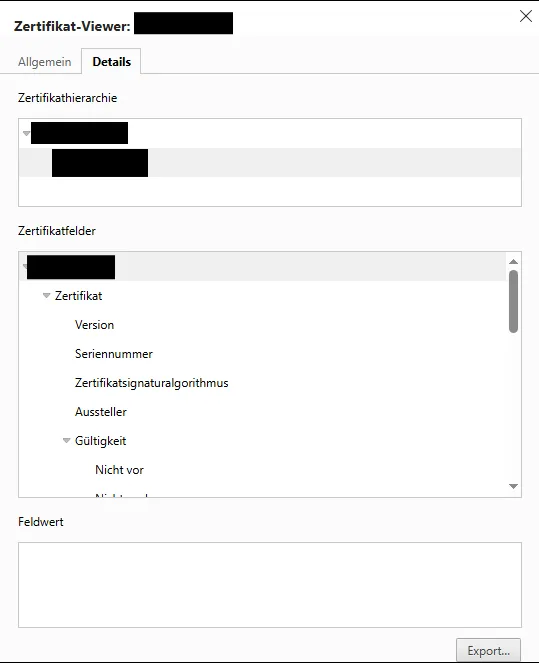
You can export the certificates from there. Be aware: maybe not all involved CAs are listed. For instance, when the root CA that issued the intermediate CA is not included, then you must download it from separately. OpenSSL allows you to download certificates. In case you do not have access to OpenSSL, but to Java, keytool is the best alternative.
Keytool
Java comes with a tool that not only is used to manage certificates but can also download them from a server.
keytool -printcert -rfc –sslserver <server> > certs.pem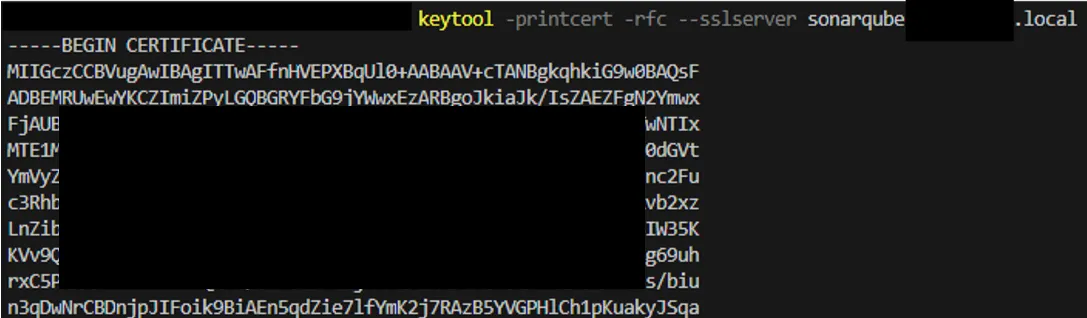
In my case, the certificate chain shown by the browser showed 2 certificates:
- Intermediate CA and
- server certificate
The keytool downloaded 3 certificates:
- Root CA
- Intermediate CA
- Self-hosted SonarQube server certificate
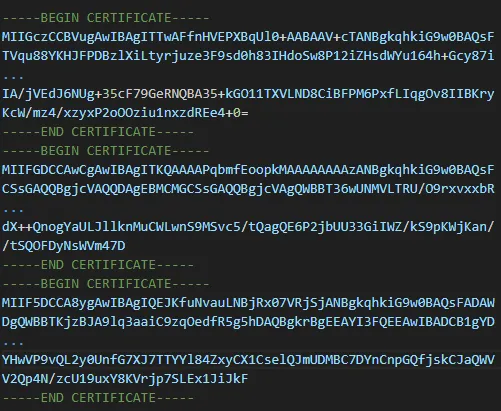
The above command stores the retrieved certificates in the file certs.pem.
Add certificate to keystore
You might be tempted to add the certificate chain to the keystore and the sonar scanner is able to connect to your server. For some reasons, this is not working. Each certificate must be added individually. Instead of adding one certificate, three certificates will be part of the keystore.
Extract certificate
Separating the certificates is easily done by simply copying each certificate to a new file. Everything between BEGIN and END CERTIFICATE is the certificate.
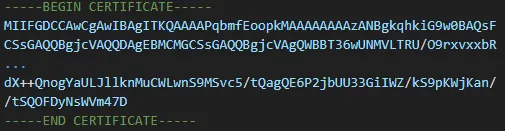
Import certificate
Using keytool and Windows and adding all 3 certificates independently to the key store.
Certificate 1:
type tmp1 | keytool -import -alias test1 -keystore test.p12 -storepass test1234 -nopromptCertificate 2:
type tmp2 | keytool -import -alias test2 -keystore test.p12 -storepass test1234 -nopromptCertificate 3:
type tmp3 | keytool -import -alias test3 -keystore test.p12 -storepass test1234 -noprompt
Short explanation of the prompt: type tmp1 prints the content of the file to stdout. Keytool can then read it from there and -noprompt ensures that the command runs through without asking any questions to the user.
Validate keystore
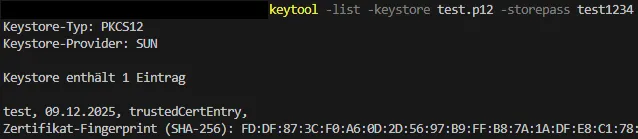
To validate if the keystore contains all certificates you can list its content. Keytool offers the -list command for this. In the result the containing certificates with their alias are displayed.
keytool -list -keystore test.p12 -storepass test1234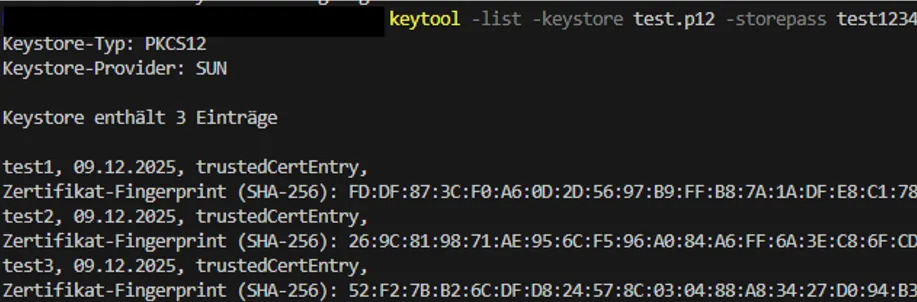
Configure sonar scanner
The created keystore now contains all needed certificates to enable the sonar scanner to pass the server HTTPS validation. The self-signed certificate is now trusted. To make the scanner use the new keystore the sonar configuration must be adjusted. This is done in the sonar-project.properties files.
- sonar.scanner.truststrorePath=test.p12
- sonar.scanner.truststorePassword=test1234
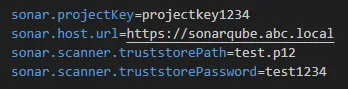
Result
Running npx @sonar/scan and providing the keystore test.p12 will allow the scanner to communicate with the SonarQube server.
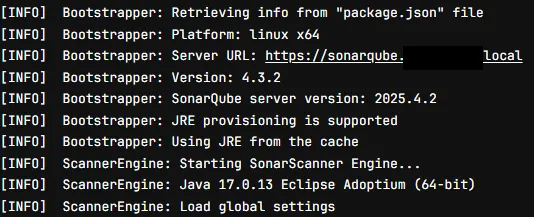
Additional hints
Adding keychain
Adding the keychain as one single certificate is not working. Add keychain certificate (the one with all 3 certificates in it) to keystore.
type certs.pem | keytool -import -alias test -keystore test.p12 -storepass test1234 -noprompt
Sonar Scanner will fail to connect to the server due to self-signed certificate.
Validate keystore
keytool -list -keystore test.p12 -storepass test1234