

Amplify is a service from AWS that offers web site hosting. The web app can use server side rendering (SSR) or be static. Static is more than good enough for simple blogs where focus is on content. This makes things easier as no APIs, SSR components or functions are needed to make the site work. Amplify can take the source code from a git service like GitHub or a S3 bucket. When needed, the static site can be compiled and made available. To make this work you only need to configure Amplify to connect to a git server. It pulls the source code from the branch (main) and builds the site when needed.
Note: (screenshots in German)
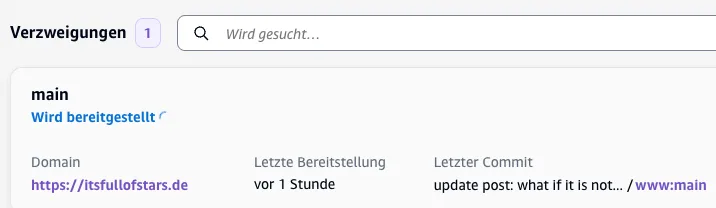

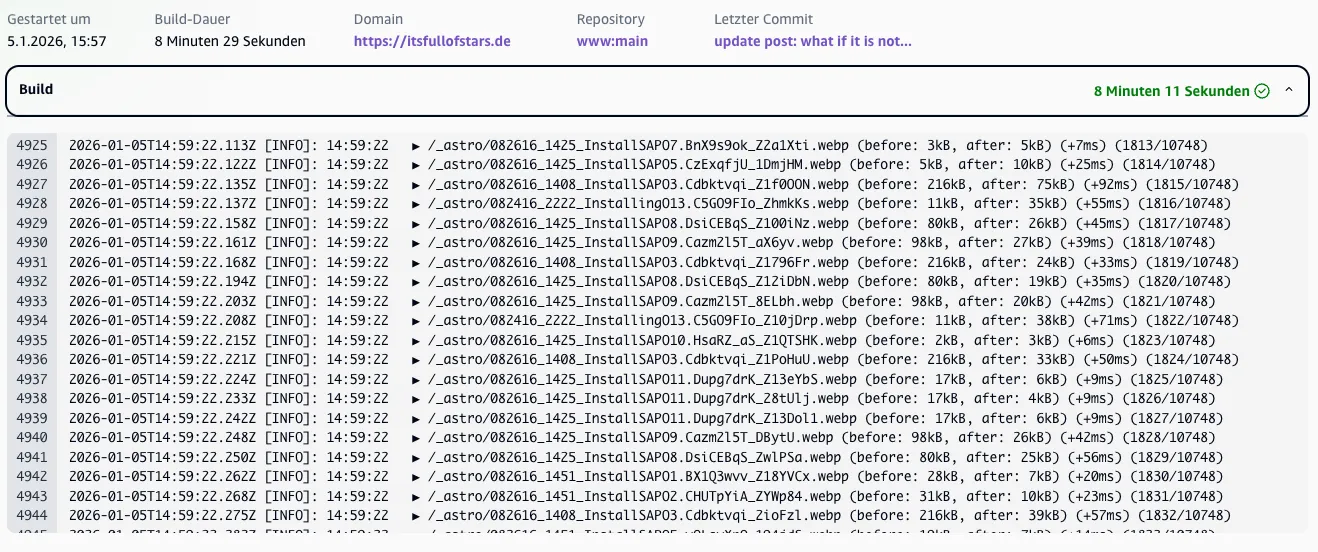
The build process runs the build script provided. In my case the tool is Astro. The build is run via:
npm run buildThe output of the build can be seen in Amplify.
This is an easy configuration and will give a running website in a few minutes. The problem: Amplify supports HTTPS out of the box. But only for the AWS Amplify domain. In case you are using a custom domain, additional steps are needed. See the Amplify documetation on how to achieve this 🔗. As I do not want to use the AWS DNS service 53, I had to follow the documentation on how to use a 3rd party DNS provider 🔗. An important step is to validate the DNS name and create a valid TLS certificate. For this, the DNS server needs to provide some information as expected by Amplify. This is for the root (@) and www name. The documentation show what needs to be done.
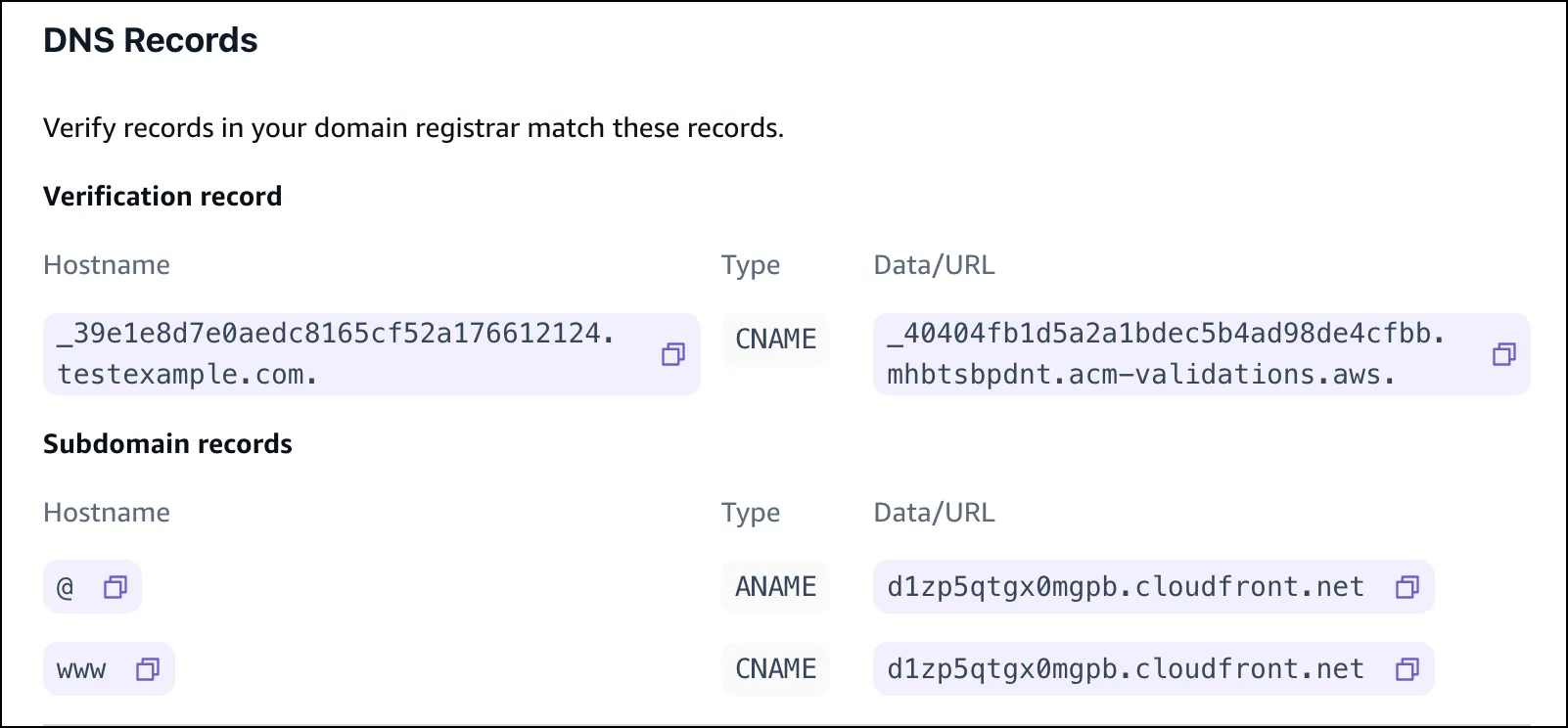
In theory, you only need to change the DNS entries, wait for them to be picked up by Amplify, and you have HTTPS configured and ready to use.
Of course, it did not work.
The tricky part is
- ANAME
- DNS
ANAME is CNAME
First problem: what is an ANAME 🔗? My DNS Provider gives my CNAME, A and ALIAS, but not ANAME. ANAME is like CNAME, but for pointing to a different domain. It is not an A entry (that can only point to an IP). I had ALIAS as an alternative. If an ALIAS is not possible, the solution is given in the documentation 🔗: Use a CNAME for @.
With this the DNS entries looks like:
| host | type | target |
|---|---|---|
| @ | CNAME | awsserver.cloudfront.net |
| www | CNAME | awsserver.cloudfront.net |
DNS
The more complicated problem is how DNS works. There is not just one DNS server. Updating the DNS entries is not instantly updating all servers. It takes time. Sometimes more time then the Amplify tools is willing to wait. While I was able to configure the needed DNS names, it took the internet too long to make this change public. There is more than just one DNS server and more than one DNS entry I had to set. The result: some servers picked up the changes faster than others. For instance, the entry for @ was sync after a few minutes to most DNS servers. The change for the CNAME www however took longer. Too long. Amplify exited the configuration step with an error before the new DNS entries were distributed. That’s sad, as you
- a) do not know which DNS server Amplify is checking for the DNS entries and
- b) the configuration step has a timeout you cannot set.
This means that you change the DNS entry to whatever Amplify informs you to set, and then you have to wait for DNS to work and hopefully set the DNS entry fast enough. The status of the sync can be seen by using the following service: whatsmydns.net 🔗.
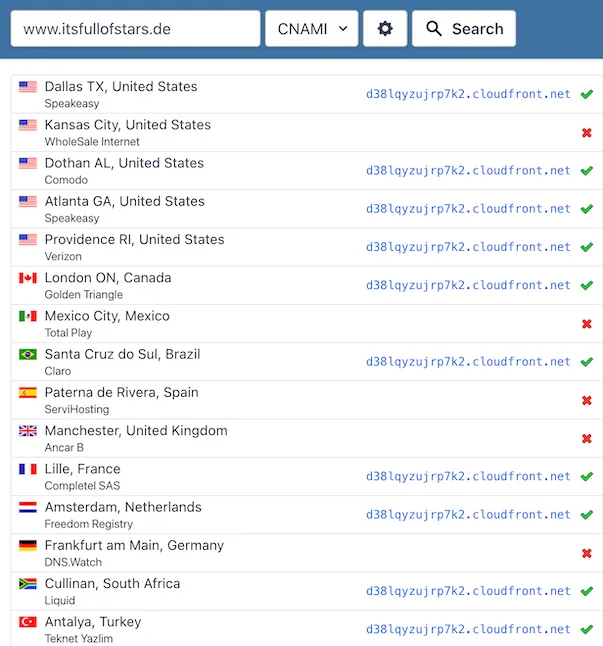
It did not work first or second or third time. There are several Amplify server names used by Amazon. I do not know how many are there and when they are going to be repeated by the DNS setup wizard. I think there are more than 4 different names. One approach could be to set up DNS for one Amplify name and than wait until the same server is requested again. Or you have luck and at one try the timing works. I guess next time I’d try to wait until Amplify shows the same server name again after the N-try.
When Amplify finds the correct DNS server, everyhting is solved. The HTTP certificate is generated, the DNS entry for the browsers is correct and the site loads.