

In case you want to learn UI5 development you have a wide range of sample apps and tutorials available. These examples are good for learning the basics. Being apps intended to teach UI5 coding, they are not intended to show how an UI5 based app is or should be used in a real world project. This is not the scope of those examples. How app development is done also differs for each project and each customer. Some do have no special requirements, some exaggerated, others enforce the usage of special tools. The sample apps for UI5 focus on the pure UI5 development. The reality however should not be ignored. Finding now a sample app that looks beyond the coding is not so easy. To make it easier, I created such an app. Or better: I used the UI5 TypeScript Hello World app and added around it the usual tasks for productive apps:
- code quality
- code coverage
- a11y
- performance
- dependencies
- software bill of material
- documentation
- testing
The original UI5 hello world is taken as-is. The business requirements regarding software development are added around it. The repo is on GitHub 🔗. This shows that these requirements resolve around the actual app. They are on top.
As these can be realized in code, each one of those can be used for the shift-left approach. Shifting as many tasks to the left, meaning: having them solved as early as possible. Not finding out that tests or documentation is missing only shortly before go-live. Rather: having them automated and part of the development process.
Currently the repo comes with 14 branches. Each one focuses on a specific topic.
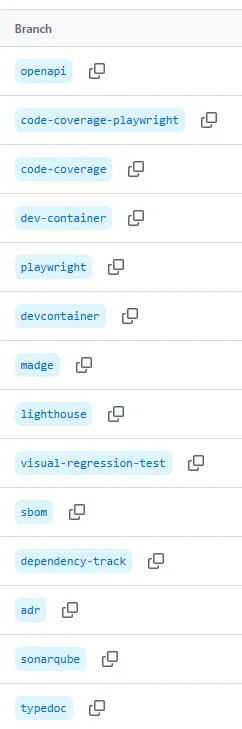
Each of the topics will be covered here on my blog in a separate article:
- sbom
- dependency-track
- lighthouse
- madge
- adr
- typedoc
- sonarqube
- playwright
- visual-regression-test
- openapi
- code-coverage
- code-coverage-playwright
- dev-container