

Spaces and Pages are the default for organizing apps on the Fiori Launchpad. In the FLP, a user can activate or deactivate it. This gives control to the user. They decide if they want to work with the new concept of spaces, or the previous one.
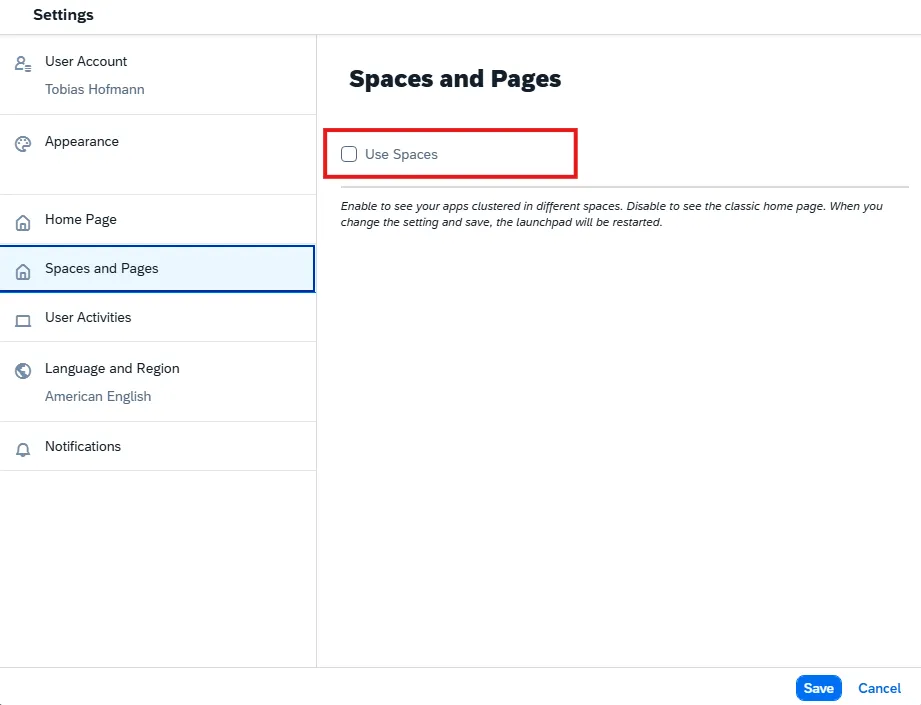
Something you might not want. To limit what a user can switch to, this feature is configurable in the S/4HANA backend. The FLP can be centrally configured to only allow spaces and pages. In that case, the user cannot change it personally, as the option is removed from the user menu.
Transaction: /n/UI2/FLP_CUS_CONF
Double click on launchpad configuration to see the configuration options.
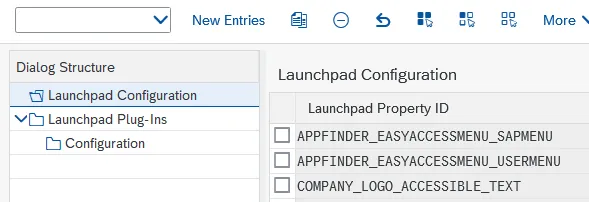
The property is SPACES_ENABLE_USER

Possible values:
- true: Displays option to enable/disable in the user menu
- false: removes the option from the user menu
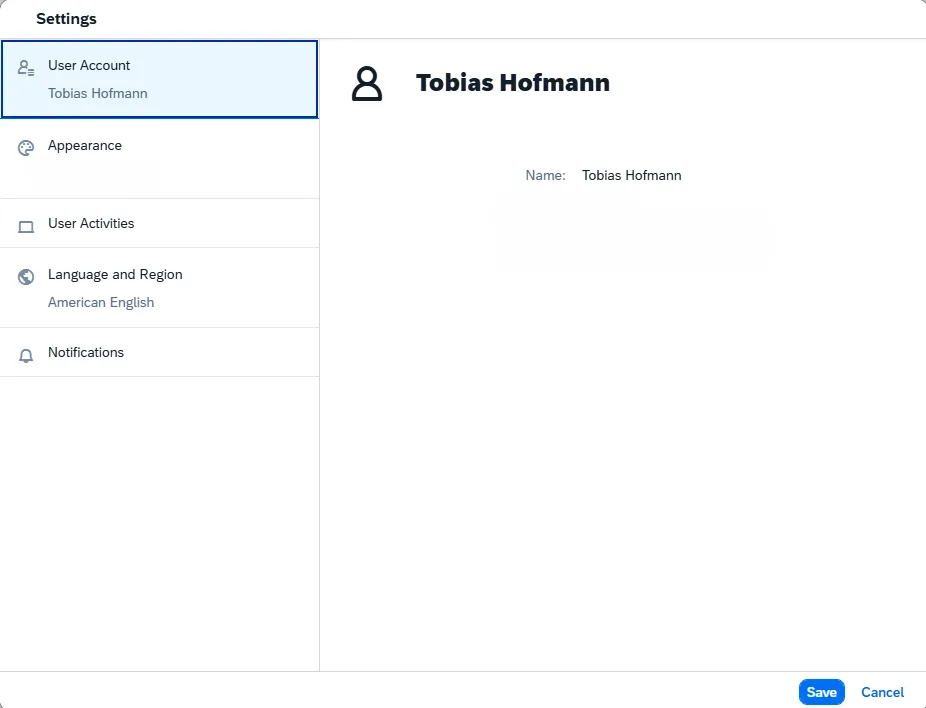
Setting the property to false removes the option from the user FLP menu:
Another important property is SPACES. If set to false, spaces are disabled.

THe parameter SPACES together with SPACES_ENABLE_USER control what the user can do.

The possible values and the result regarding the spaces and group configuration and options for user are listed in the following table.
| SPACES | SPACES_ENABLE_USER | Result |
|---|---|---|
| true | true | Spaces available. User can change between spaces and groups. |
| false | true | Spaces available. User can change between spaces and groups. |
| true | false | Spaces available and cannot be deactivated by user. Usage of spaces is mandatory. |
| false | false | Groups are used by default. Spaces deactivated. User cannot switch. |
Note the 2nd entry: while spaces is false, the feature is still available. I guess this is because of the other parameter that seems to overrule.