Off-Stack ABAP development is a modern development approach 🔗 that prepares you for AI native development. One “issue” you might notice when transpiling ABAP coding to JavaScript is that the transpiler tool is fetching the dependencies from GitHub.
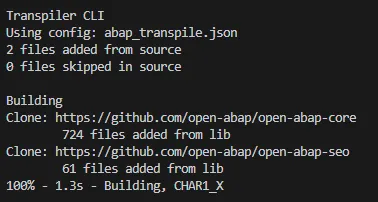
Nothing wrong with this approach, except when GitHub might out of reach or your internal git repo is slowing down the transpile process. There are ceratain scenarios where you want to have the dependencies local. Sometimes you might want to speed the process of resolving the dependencies up. Or just want to make sure that the dependency is also part of your repo.
You can configure the URL and host the dependencies locally. So, when git isn’t something you want to use here, you can store the dependencies inside your repo and instruct the transpiler to load them from there.
In my sample ABAP off-stack repo 🔗 I added a new branch: local-deps 🔗.
The branch holds the transpiler dependencies in folder open-abap. The tool picks them up through the configuration properties:
"libs": [
{
"folder": "/open-abap/open-abap-core/"
},
{
"folder": "/open-abap/open-abap-seo/"
}
],Folder is pointing to the sub-folder. To get the projects, just download them from the GH repo, e.g. https://github.com/open-abap/open-abap-core 🔗
You’ll only the folder src (src folder + files in it).
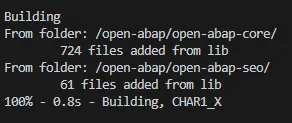
Transpiling the ABAP source is now loading the dependencies directly from the folder. No git or cloning involved.
npm run transpileResult: