The configuration steps to be executed on the backend (BEP) are detailed at SAP Help 🔗. The steps are for the OData Channel Service for backend system.
- Settings for Idempotent services Blog 🔗 / SAP Help 🔗
- Defining a remote function call to SAP Gateway SAP Help 🔗
- Connection settings to SAP Gateway Blog 🔗 / SAP Help 🔗
- Configure bgRFC supervisor destination Blog 🔗 / SAP Help 🔗
This document explains how to execute step 2.
“You create or define a background remote function call (bgRFC) destination, which is used for communications in an outbound queue, and an inbound queue among SAP systems.” SAP Help
Important: “If you are using push from an SAP Business Suite backend system to an SAP NetWeaver Gateway hub system, it is important not to have a trusted RFC connection.”
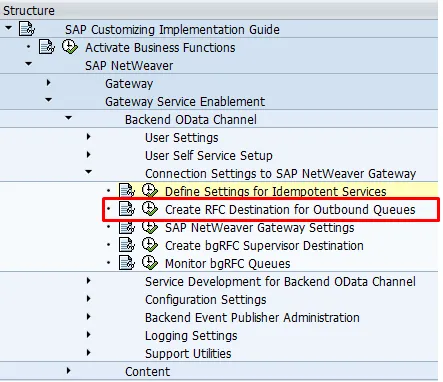
SPRO: SAP Reference IMG and navigate to  SAP NetWeaver
  Gateway Service Enablement Backend OData Channel Connection Settings to SAP NetWeaver Gateway Create RFC Destination for Outbound Queues
This open transaction SM59.
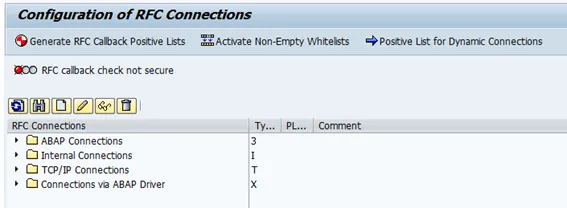
- Click Create.
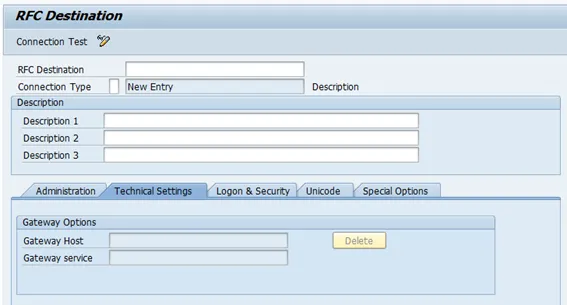
- Give a name for the RFC destination, like BEP_BGRFC_DEST
- Connection type: 3
- Inform a description
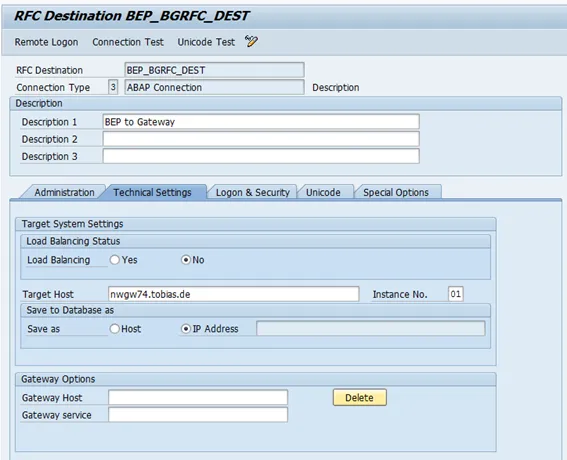
- Go to tab “Technical Settings”
-
Target host: host name of SAP Gateway system
-
System number: system number of SAP Gateway system
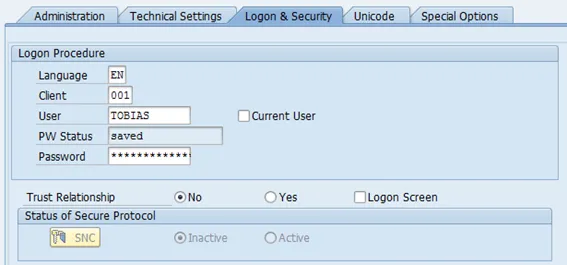
- Go to tab “Logon & Security”
-
Enter the logon data for the technical user
-
Trust Relationship: No
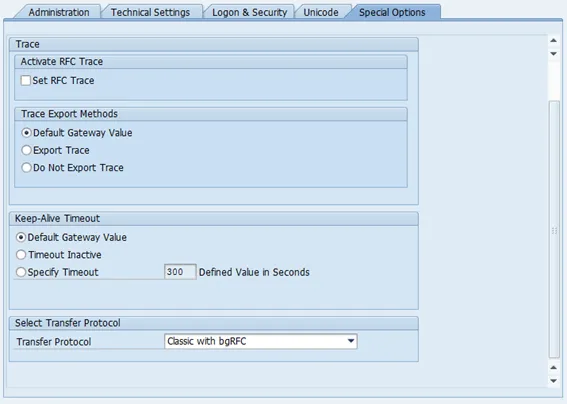
- Go to tab “Special Options”
- Transfer Protocol: Classic with bgRFC
-
Save
-
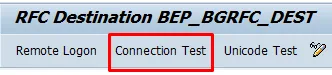
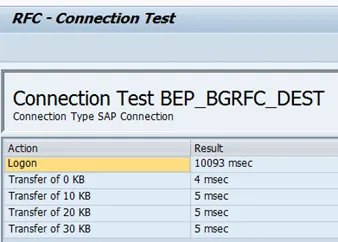
Test the connection.