The configuration steps to be executed on the backend (BEP) are detailed at SAP Help 🔗. The steps are for the OData Channel Service for backend system.
- Settings for Idempotent services Blog 🔗 / SAP Help 🔗
- Defining a remote function call to SAP Gateway Blog 🔗 / SAP Help 🔗
- Connection settings to SAP Gateway Blog 🔗 / SAP Help 🔗
- Configure bgRFC supervisor destination SAP Help 🔗
This document explains how to execute step 4.
“You configure a supervisor destination for the bgRFC to receive the configuration settings for the bgRFC scheduler. In addition, the supervisor starts or stops the schedulers as required.” SAP Help 🔗
Pre-requisites
You need to have a user of type B called BGRFCUSER. This user will be uesd for the bgRFC communication.
- Go to transaction SU01
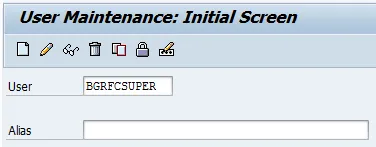
- Enter BGRFCUSER in the user filed
- Click on create
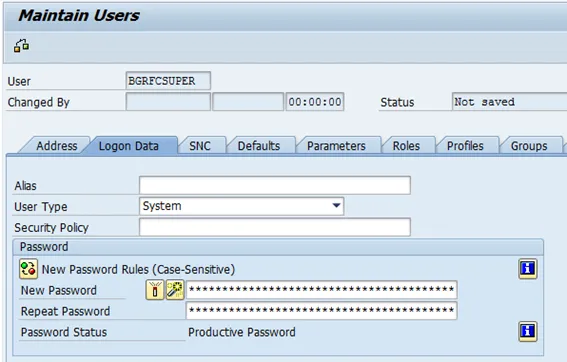
- Enter user data
- User Type: System
- Password: choose one
- Go to tab “Roles”
- Select role SAP_BC_BGRFC_SUPERVISOR

- Save the user
Configure bgRFC Supervisor Destination
SPRO: SAP Reference IMG and navigate to  SAP NetWeaver
  Gateway Service Enablement Backend OData Channel Connection Settings to SAP NetWeaver Gateway Create bgRFC Supervisor Destination
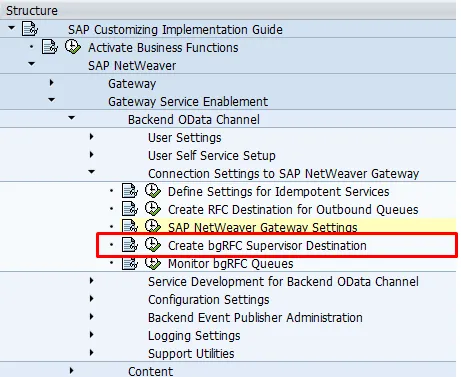
- Go to tab “Define Supervisor Dest.”
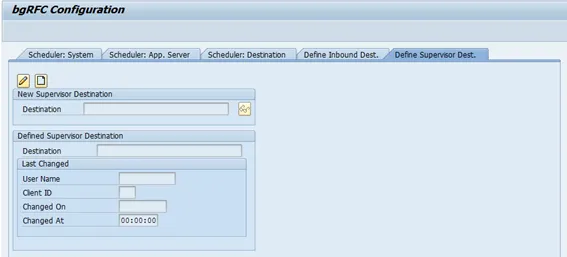
- Click on create
- Enter data
- Destination Name: “BGRFC_SUPERVISOR”
- User Name: BGRFCSUPER (User created in section pre-requisites)
- Password: password for user
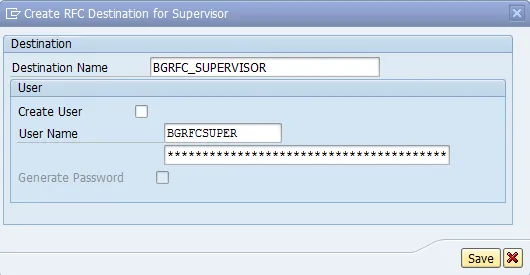
- Save
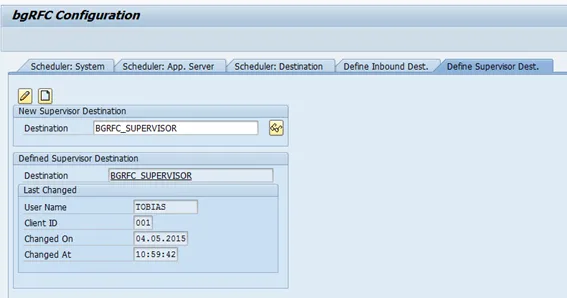
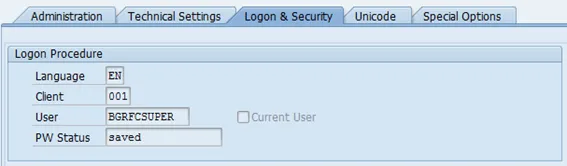
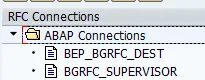
This created a new RFC destination named: BGRFC_SUPERVISOR. This can be verified by going to transaction SM59.
The tab Logon & Security shows the user configuration